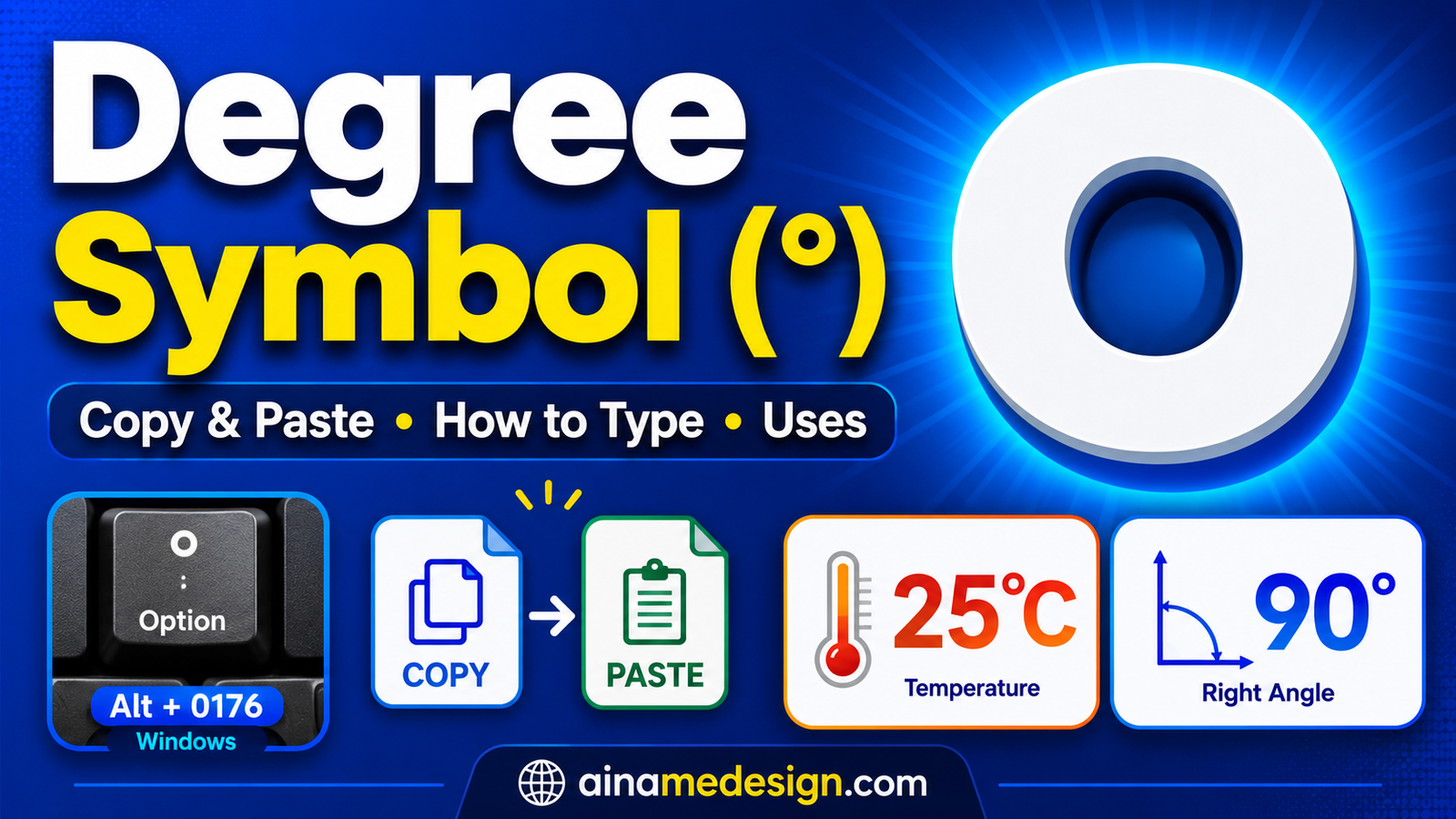
The degree symbol is °. Because it is a single Unicode character, the quickest route is simply copying it from the block below — no shortcut, no settings, no typeface to install.
This page covers both halves of the job. If you only want the glyph, take it and go. However, if you would rather produce it yourself, the sections below give the method for Windows, Mac, iPhone and Android, then show how the degree symbol behaves across temperatures, angles, coordinates, HTML and spreadsheets.
Degree Symbol to Copy and Paste
Tap any of these to copy it. The first is the degree symbol alone; the other two are ready-made temperature pairs, since most people want the scale letter attached anyway.
Select any name in the following list to copy it.
What Is the Degree Symbol?
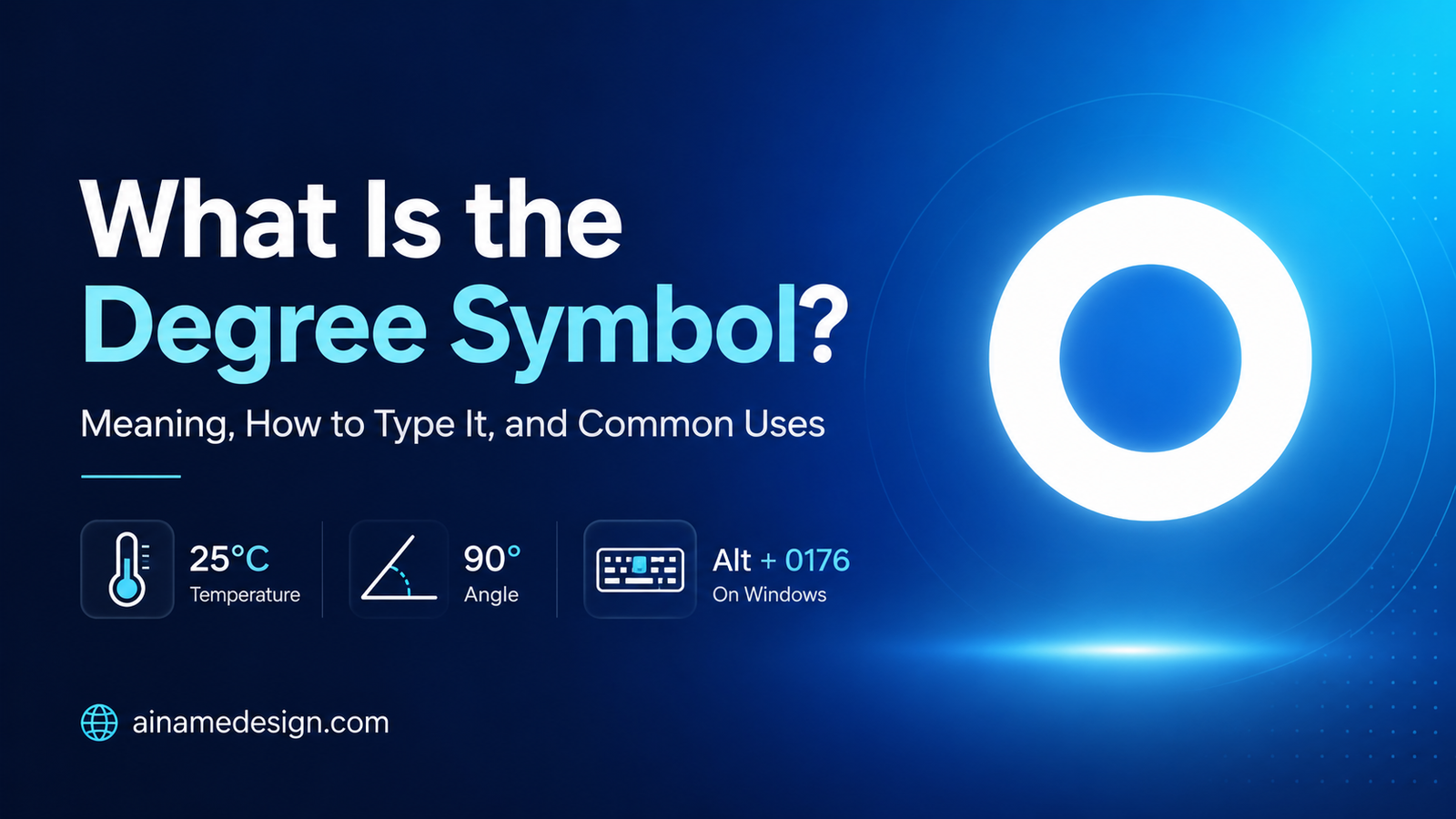
The degree symbol is a small raised circle placed after a figure, indicating that the quantity preceding it is measured in degrees. It performs exactly one job — flagging a degree measurement — and surfaces in three principal contexts:
- Temperature — 25°C, 77°F, -5°C
- Angles — 90°, 45°, 180°
- Geographic coordinates — 40° N, 74° W
Crucially, it is a genuine character with its own place in Unicode, not a formatting effect. That distinction matters because it survives being copied between applications, pasted into a plain-text field, or stored in a database, exactly as a letter or digit would.
Equally, it is neither the letter o, a superscript zero, nor a bullet point. Those remain distinct glyphs which merely look circular; the comparison table further down disambiguates every one.
Nor is it an emoji. Since ° is plain text, it inherits the colour and size of surrounding type, which explains why it behaves correctly inside a spreadsheet cell or a code comment where a coloured pictograph would fail. For the coloured pictographs instead, browse our emoji collection.
Degree Symbol vs Degree Sign
These are simply two labels for one thing. In everyday usage "degree symbol" and "degree sign" both denote °, and neither is incorrect.
Unicode, which is the standard that assigns every character a permanent identity, uses the second one. Its official name for ° is DEGREE SIGN, and its code point is U+00B0. You can confirm that in the Unicode Consortium's official code charts, in the Latin-1 Supplement block.
In short, "degree sign" is the formal designation, "degree symbol" is the phrase nearly everybody searches, and both denote an identical glyph.
How to Type the Degree Symbol
Four routes exist, and the best choice depends entirely on the hardware in front of you:
- Windows — hold Alt and type 0176 on the numeric keypad.
- Mac — open the Character Viewer with Control-Command-Space, or use Option-Shift-8 on a US layout.
- iPhone and Android — press and hold the 0 key on the number keyboard.
- Any device — copy ° from the top of this page and paste it.
One caveat applies throughout: shortcuts depend on your physical hardware and active layout, therefore none is universally guaranteed. Copy-and-paste remains the sole approach behaving identically everywhere, which is precisely why it appears first on this page rather than last.
How to Type the Degree Symbol on Windows
The canonical technique is the Alt code:
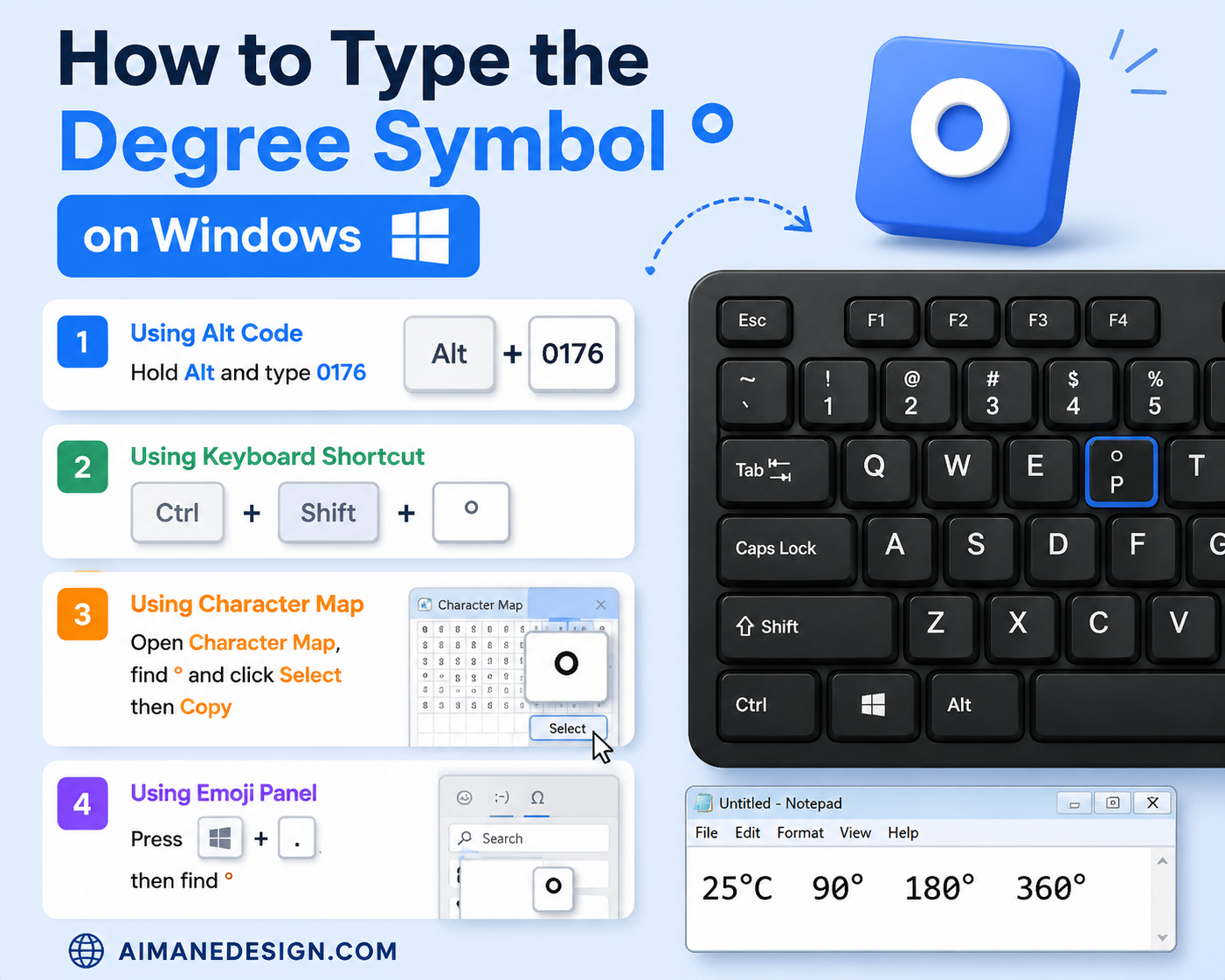
- Place the cursor where you want the symbol.
- Hold down the Alt key.
- Type 0176 on the numeric keypad.
- Release Alt — ° appears.
Microsoft's own documentation lists ALT+0176 for the degree sign and is explicit about the requirement that catches most people out: you must use the numeric keypad rather than the number row along the top of the keyboard, and NUM LOCK needs to be on if your keyboard requires it for the keypad to produce digits. See Microsoft's guide to inserting ASCII and Unicode characters.
Consequently the Alt code frequently fails on portables. Many compact and laptop layouts omit a separate keypad entirely, and on such machines the shortcut cannot succeed however carefully you type it. Therefore, if that describes your hardware, reach for the Character Map utility or copy the glyph above — neither depends on a keypad.
How to Type the Degree Symbol on Mac
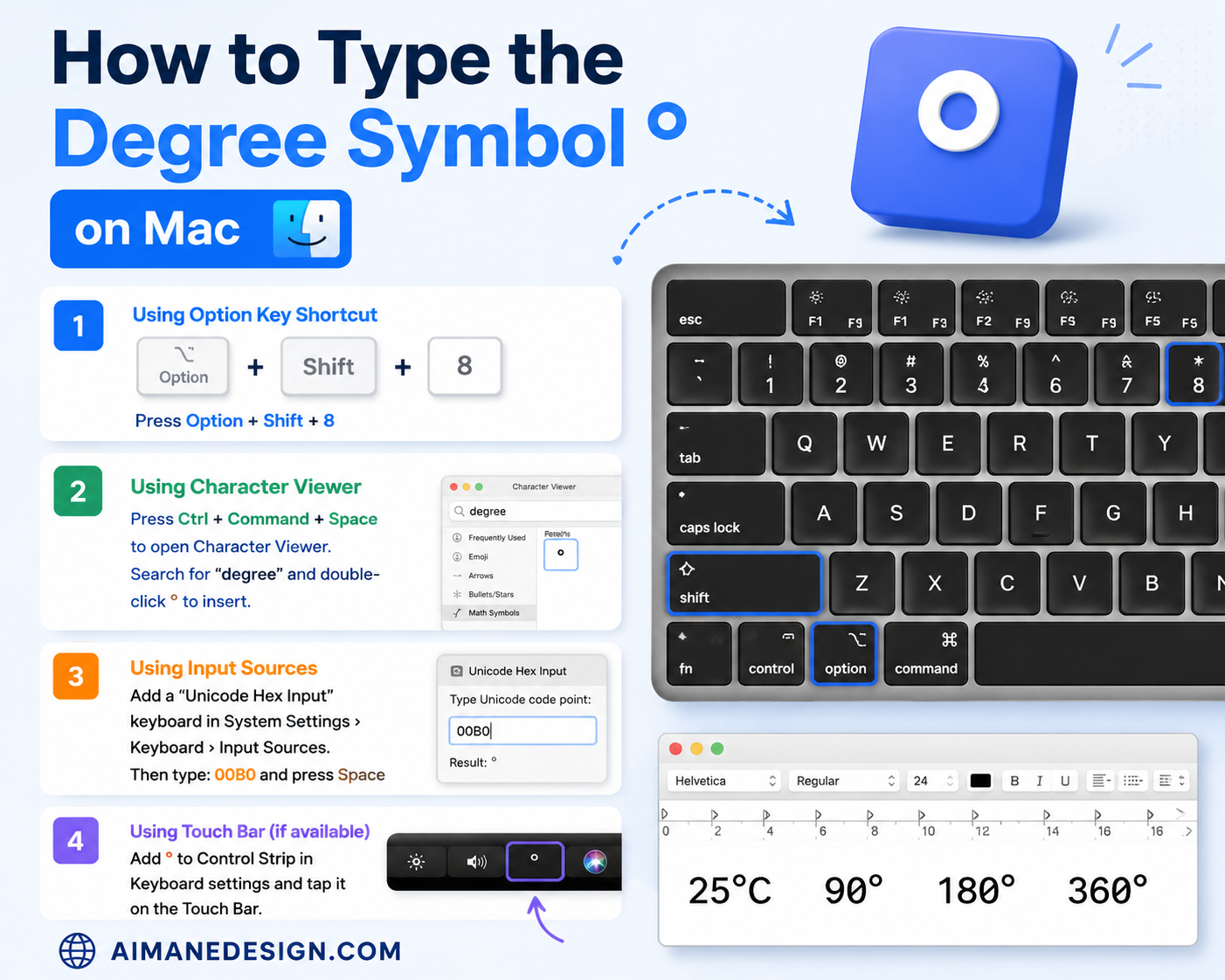
macOS ships a built-in character picker, and it is the method Apple documents. Press Control-Command-Space to open the Character Viewer, type "degree" into its search box, and double-click the result to insert it. Apple's guide to using emoji and symbols on Mac covers the same picker.
Additionally a direct shortcut exists, Option-Shift-8, producing ° on US and ABC layouts. It is worth memorising, however it remains layout-dependent rather than universal: elsewhere that combination maps to something entirely different, and Apple documents the Character Viewer rather than this shortcut as its general method. Thus, should Option-Shift-8 yield something unexpected, your active layout explains it, and the Viewer still works.
How to Type the Degree Symbol on iPhone and Android
On both platforms the glyph hides behind the zero key rather than appearing on the primary layout:
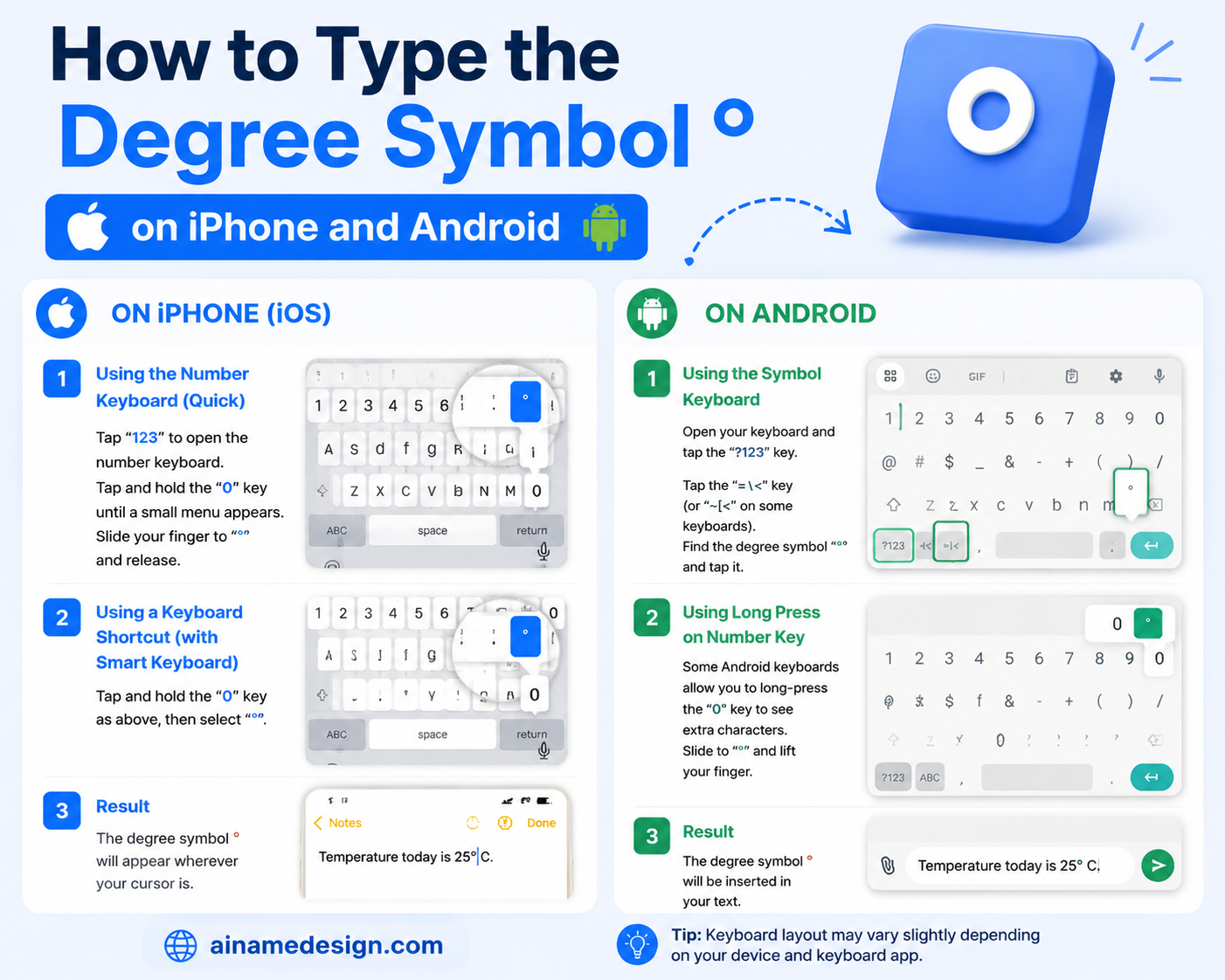
- Switch to the number and symbol keyboard — the key usually marked 123.
- Press and hold the 0 key.
- A small popup appears containing °.
- Slide onto it and release.
On iPhone this behaves consistently within Apple’s stock keyboard across apps. Similarly, the long-press is standard on Gboard; Android keyboards, however, ship from numerous manufacturers and third-party developers, therefore the popup and its contents vary by keyboard app rather than by handset. If holding 0 yields nothing, your chosen app simply maps that key elsewhere.
The dependable fallback on any handset mirrors everywhere else: copy ° above, then long-press the destination field and choose Paste.
Degree Symbol in Temperature
Temperature is where most readers first encounter the degree symbol. The pattern runs: figure, then °, then the scale letter:
- 25°C — twenty-five degrees Celsius
- 77°F — seventy-seven degrees Fahrenheit
- -5°C — five degrees below zero Celsius
Both C and F are ordinary capitals. Because no dedicated Celsius or Fahrenheit codepoint is required for everyday prose, typing ° followed by C proves entirely correct.
Spacing is the part where conventions genuinely differ, so treat any single rule with suspicion. Everyday writing, journalism and most style guides set the temperature closed up as 25°C. Scientific typesetting following SI conventions commonly puts a space between the number and the unit — 25 °C — because the degree Celsius is treated as a unit symbol. Neither is a typo; they are different conventions for different contexts. Pick the one your publication or field uses and apply it consistently.
Degree Symbol for Angles
In geometry the degree symbol marks the size of an angle, written directly after the number with no space:
- 90° — a right angle
- 45° — an acute angle, less than 90°
- 180° — a straight angle
- 360° — a full turn
Similarly, one glyph serves whether the angle appears in a geometry exercise, a CAD drawing or a lens specification. Nothing whatsoever alters between those contexts.
Degree Symbol in Coordinates
Latitude and longitude are quantified in degrees, therefore coordinates employ that identical glyph:
- 40° N — forty degrees north
- 74° W — seventy-four degrees west
Precise positions rarely stop at whole degrees. Since every degree subdivides into 60 minutes, and each minute into 60 seconds, those two subdivisions carry dedicated glyphs:
- 40° 42′ N — 40 degrees, 42 minutes north
- 74° 00′ W — 74 degrees, 0 minutes west
The mark following minutes is ′, the prime; seconds take ″, the double prime. Neither is the degree symbol, and neither is an apostrophe or quotation mark, although both are frequently mistyped as such. Consequently the comparison table below identifies every glyph precisely.
Degree Symbol in Mathematics and Science
Beyond bare angle measurements, the degree symbol appears wherever an angle or temperature enters an expression — for instance θ = 45°, or a boiling point recorded as 100°C.
Two conventions repay knowing. Because radian measurements never carry a degree symbol, its presence or absence alone signals which unit applies. Moreover, in trigonometry the glyph stays bound to the figure inside the function, as in sin 30°, rather than drifting outside.
Degree Symbol Unicode
Its Unicode identity is immutable and wholly independent of whichever typeface renders it:
| Property | Value |
|---|---|
| Character | ° |
| Unicode name | DEGREE SIGN |
| Code point | U+00B0 |
| Decimal | 176 |
| Block | Latin-1 Supplement |
| Category | So (Symbol, other) |
Unicode assigns identity; the typeface supplies shape. As a result, an identical ° may sit higher, rounder or heavier across different fonts while remaining one character beneath — and thus a ° copied on a handset arrives on a desktop still encoded as U+00B0.
Read also: → Symbol library — thousands more copy-and-paste characters by category
Degree Symbol HTML
Within HTML you may write the glyph directly, or invoke one of three equivalent references. All four emit identical output:
| Method | Code | Renders as |
|---|---|---|
| Direct character | ° | ° |
| Named entity | ° | ° |
| Decimal reference | ° | ° |
| Hexadecimal reference | ° | ° |
On any modern page served as UTF-8 — effectively all of them — typing ° directly is perfectly safe and the most legible option. The named entity ° retains value wherever a file's encoding is uncertain, or inside legacy pipelines that mangle non-ASCII input. The hexadecimal variant ignores case, so ° and ° behave alike.
Above all, mind the semicolon. Every reference must terminate with one, because ° lacking it is not a valid entity and browsers may display it as literal text.
Degree Symbol in Microsoft Word and Google Docs
In Word there are three routes. The Alt code above works if you have a numeric keypad. Word also supports typing 00B0 and then pressing Alt+X, which converts the code you just typed into the character. And Insert > Symbol opens a browsable picker.
In Google Docs, use Insert > Special characters, then search "degree" or draw the shape in the panel and pick the result.
Menu wording and placement shift between releases and platforms, therefore treat those paths as guidance rather than an exact script. In contrast, pasting the glyph is version-proof and succeeds in both applications.
Degree Symbol in Excel
Excel draws a distinction that regularly catches people out: whether ° forms part of the stored value or merely part of its presentation.
For example, typing 25°C into a cell makes Excel treat the entry as text. It looks correct, yet you can no longer sum, average or chart it, because the entry has ceased to be numeric.
To preserve numeric behaviour while still displaying the unit, leave the value as 25 and alter presentation instead, via Format Cells > Number > Custom. A custom pattern of 0"°C" renders 25°C on screen whilst the underlying entry remains 25 and keeps calculating normally. Those quotation marks instruct Excel to append °C as literal text rather than interpret it within the numeric pattern.
Ultimately, use text where the cell is a label, and custom formatting wherever the cell holds data you intend to calculate with.
Degree Symbol vs Similar Characters
Several glyphs resemble a small circle or tick mark and get substituted for the degree symbol by mistake. In fact they are wholly distinct characters carrying separate meanings:
| Character | Unicode name | Code point | What it is actually for |
|---|---|---|---|
| ° | DEGREE SIGN | U+00B0 | The degree symbol — temperature, angles, coordinates |
| º | MASCULINE ORDINAL INDICATOR | U+00BA | Spanish and Portuguese ordinals, as in 1º |
| ′ | PRIME | U+2032 | Minutes of arc, and feet |
| ″ | DOUBLE PRIME | U+2033 | Seconds of arc, and inches |
| ∘ | RING OPERATOR | U+2218 | Function composition in mathematics |
| ⁰ | SUPERSCRIPT ZERO | U+2070 | A raised digit zero |
The ordinal indicator º is the substitution that causes real problems, because on many fonts it is nearly indistinguishable from °. It is not a symbol at all — Unicode classifies it as a letter, and under standard Unicode normalisation it folds to a plain o. A temperature written with it can therefore be indexed, searched or compared as though you had typed the letter o, which is precisely the failure the correct character avoids.
Common Degree Symbol Mistakes
- Typing the letter o. 25oC is the most common substitution and the easiest to spot once you know to look.
- Using º instead of °. Visually close, semantically a letter — see the table above.
- Using an apostrophe or quotation mark for minutes and seconds. 40° 42' N should use the prime ′, not a typewriter apostrophe.
- Writing °K. Kelvin takes no degree symbol; it is 300 K.
- Assuming a shortcut is universal. Alt+0176 needs a numeric keypad, and Option-Shift-8 depends on your Mac's keyboard layout.
- Using an image of the symbol. A picture cannot be searched, selected, read aloud by a screen reader, or copied — the real character can.
Can I Use the Degree Symbol in Usernames and Social Media?
Often in display names and bios; far less reliably in handles. Because ° is ordinary text rather than imagery, anywhere accepting Unicode will store and render it — captions, posts, comments, biographies and most display-name fields.
Username handles are the strict case. Many platforms restrict them to letters, digits, underscores and periods, and a name containing ° will simply be rejected or have the character silently stripped. The rules differ between platforms, and often between the username field and the display-name field on the same platform, so no general promise is possible — paste it into the actual field and see whether it saves. Our social platform hub breaks the naming rules down per platform.
In-game identity fields are stricter again; our guide to using gaming symbols in usernames documents what such fields typically tolerate.
Where you are ornamenting a nickname rather than quantifying something, better-suited glyphs exist. Our copy-and-paste symbol library has ° filed under Units alongside the other measurement characters, and the guide to symbols for nicknames covers what actually survives name fields.
Copy the Degree Symbol on Any Device
Whichever device you hold, this approach never fails. Tap to copy, then paste wherever required:
Select any name in the following list to copy it.
It demands no keypad, layout, keyboard app or settings change. Therefore, if a shortcut above fails on your machine, this remains the fallback — and for most people it proves quicker than the shortcut anyway.
For other characters, the symbol library covers thousands more, mathematical symbols collects the operators, and the text tools handle styling rather than single characters.
Frequently Asked Questions
What is the degree symbol to copy and paste?
It is °. Tap it in the copy block near the top of this page and paste it wherever you need it. The ready-made pairs °C and °F are there too, so you do not have to add the scale letter yourself.
How do I type the degree symbol on Windows?
Hold Alt and type 0176 on the numeric keypad. Microsoft's documentation is explicit that the numeric keypad is required — the number row along the top will not work, and NUM LOCK may need to be on. Laptops without a keypad cannot use this shortcut at all, so copy and paste instead.
How do I type the degree symbol on Mac?
Press Control-Command-Space to open the Character Viewer, search for "degree" and double-click the result. Option-Shift-8 also produces ° on the US and ABC layouts, but it is layout-dependent rather than universal.
How do I type the degree symbol on iPhone?
Switch to the number keyboard with the 123 key, then press and hold the 0 key. A small popup appears with °; slide onto it and release.
How do I type the degree symbol on Android?
The same long-press on the 0 key works on Gboard and most keyboards. Android keyboards come from many different makers, though, so the popup contents vary by keyboard app rather than by phone. If nothing appears, copy the symbol instead.
What is the Unicode code for the degree symbol?
U+00B0, decimal 176, in the Latin-1 Supplement block. Unicode names it DEGREE SIGN and classifies it as a symbol. That identity is fixed regardless of which font displays it.
What is the difference between ° and º?
They are different characters. ° (U+00B0) is the degree sign. º (U+00BA) is the masculine ordinal indicator, used in Spanish and Portuguese ordinals like 1º. Unicode classifies º as a letter, and standard normalisation folds it to a plain o — so using it for a temperature can be searched or compared as though you typed the letter o.
How do I use the degree symbol for Celsius and Fahrenheit?
Write the number, then °, then an ordinary capital C or F: 25°C, 77°F. There is no separate single character needed. Everyday writing closes the gap up as 25°C, while scientific style following SI conventions often uses a space, as 25 °C. Kelvin takes no degree symbol at all — it is 300 K.
Can I use the degree symbol in usernames?
Sometimes. Display names, bios and captions usually accept it because it is ordinary text. Username handles are frequently restricted to letters, digits, underscores and periods, and will reject or strip it. Rules differ per platform and even between fields on the same platform, so test it in the actual field.