Want a fresh in-game identity but not sure where to tap? This guide walks you through exactly how to change your Free Fire name — the free first rename, what it costs after that, and how to grab a free Name Change Card so you don't spend diamonds you don't have to.
Quick note on sourcing: Garena doesn't publish one official rulebook for names, so specifics here — the character limit, rename costs, what gets rejected — come from hands-on testing plus what players consistently report, and reflect how the game behaves as of this guide's last review. Rules can shift with updates, so the in-game screen is always the final word. For the official app, see Garena Free Fire.
Before You Start

Have your new name ready before you open the rename screen — that way you're not improvising against the 12-character limit. If you want something stylish, build and count it first with our fancy text generator, which shows a live character count as you type.
How to Change Your Free Fire Name — Step by Step
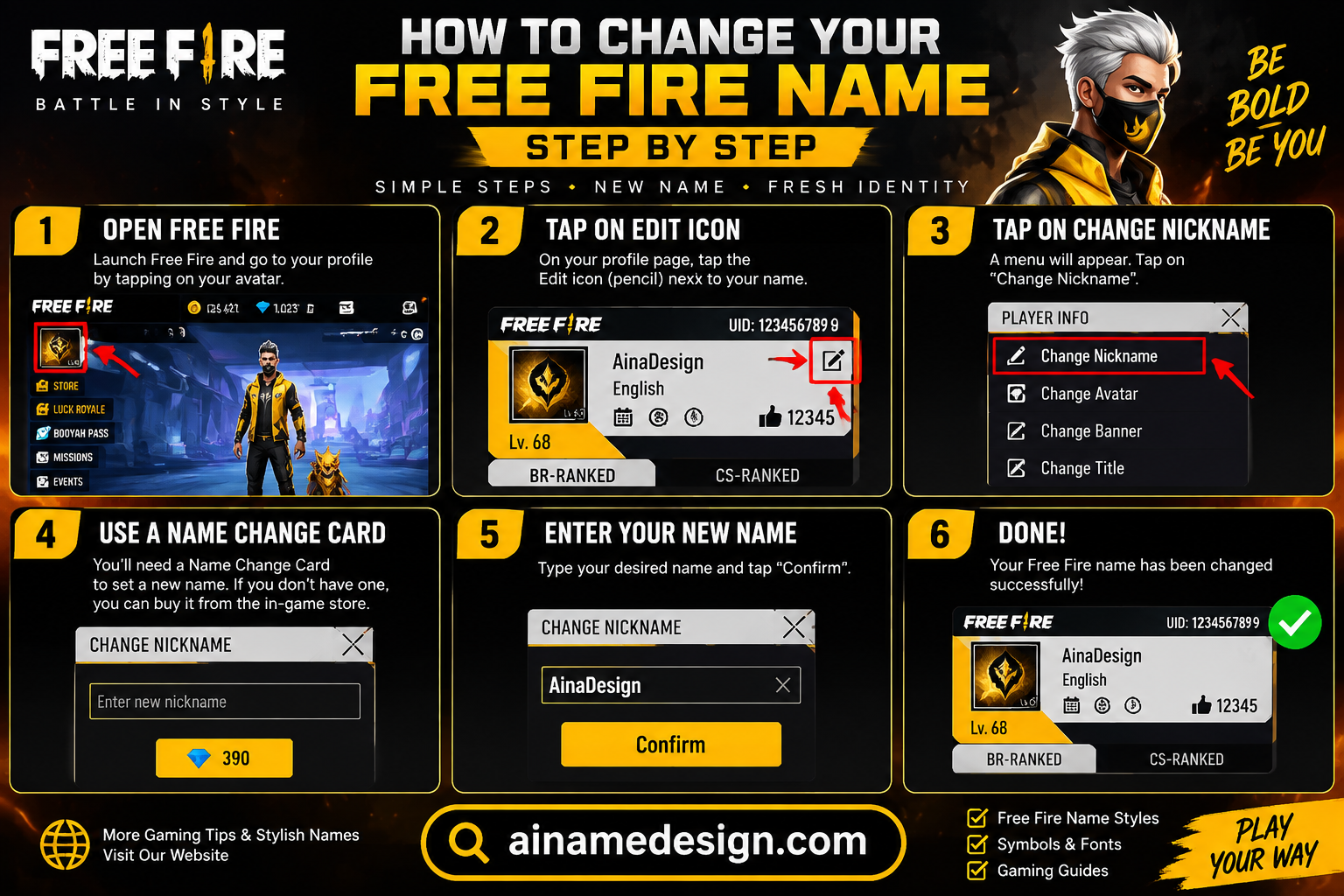
Open Free Fire and tap your profile icon in the top-left of the home screen.

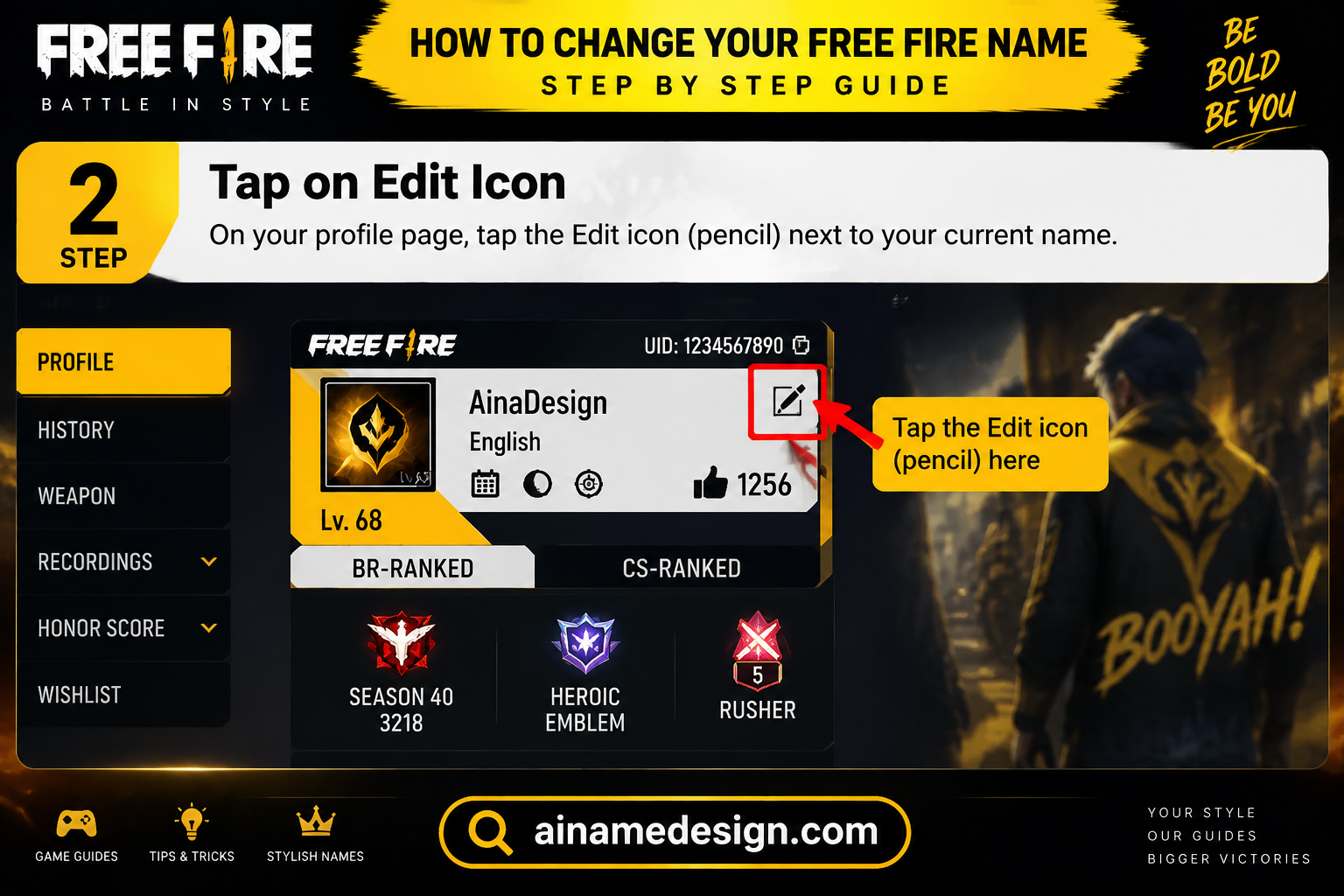
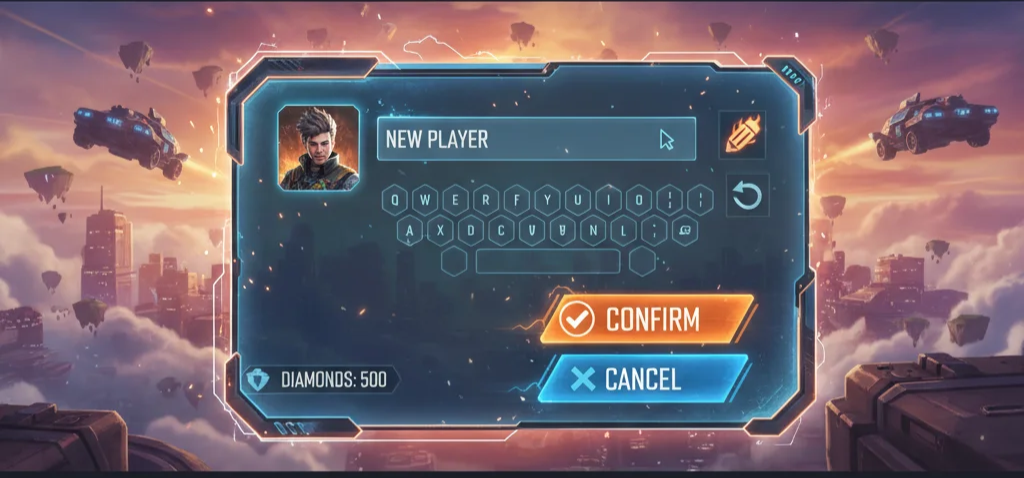
On your profile card, tap the small pencil / edit icon next to your current name.
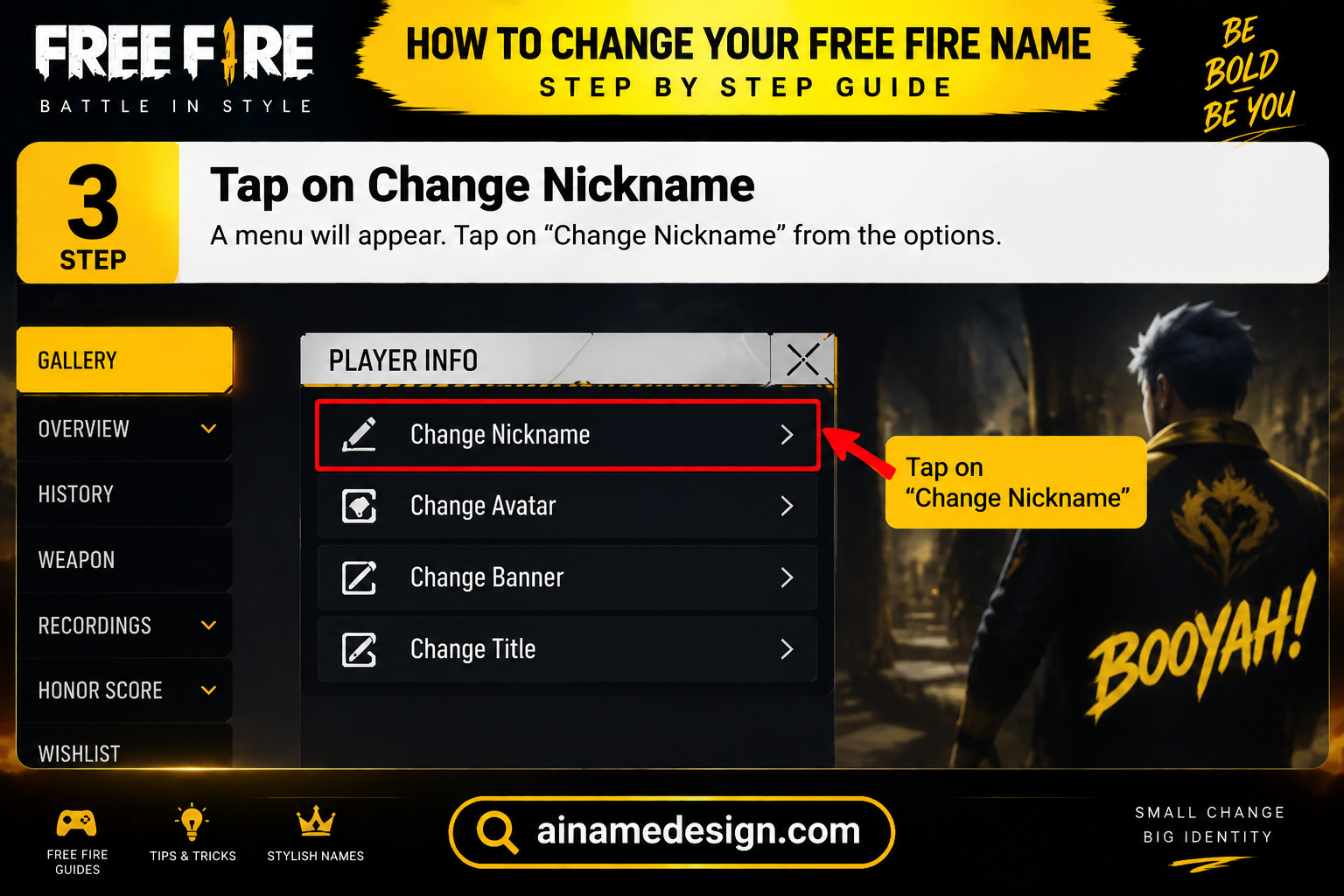
Clear the field and type or paste your new name.
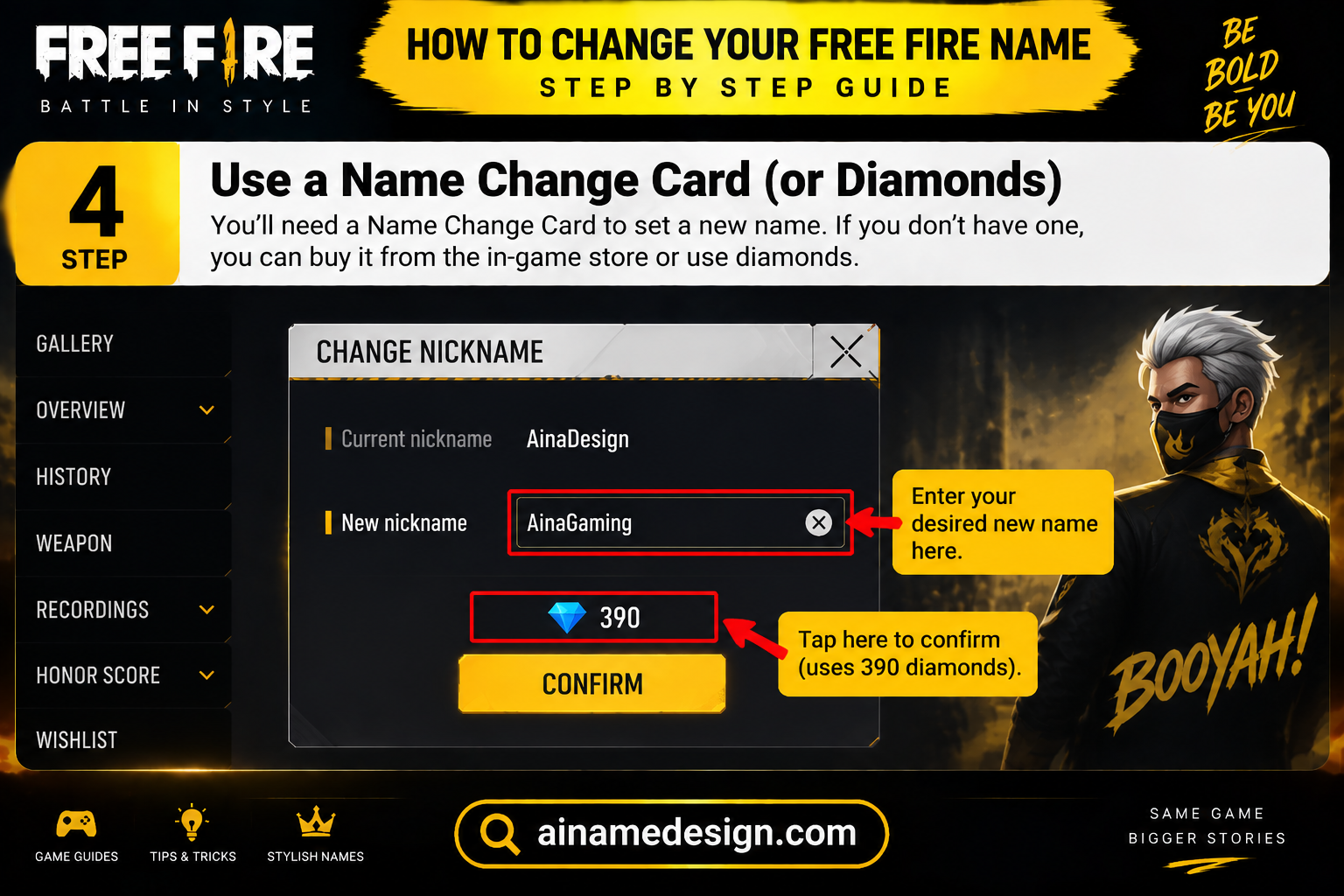
If it's your very first rename, the game applies it for free.
On later renames you'll see a diamond cost (or the option to use a Name Change Card) before confirming.
Tap confirm. If the name is taken, filtered, or too long, you'll get an on-screen error instead of it saving — adjust and retry.
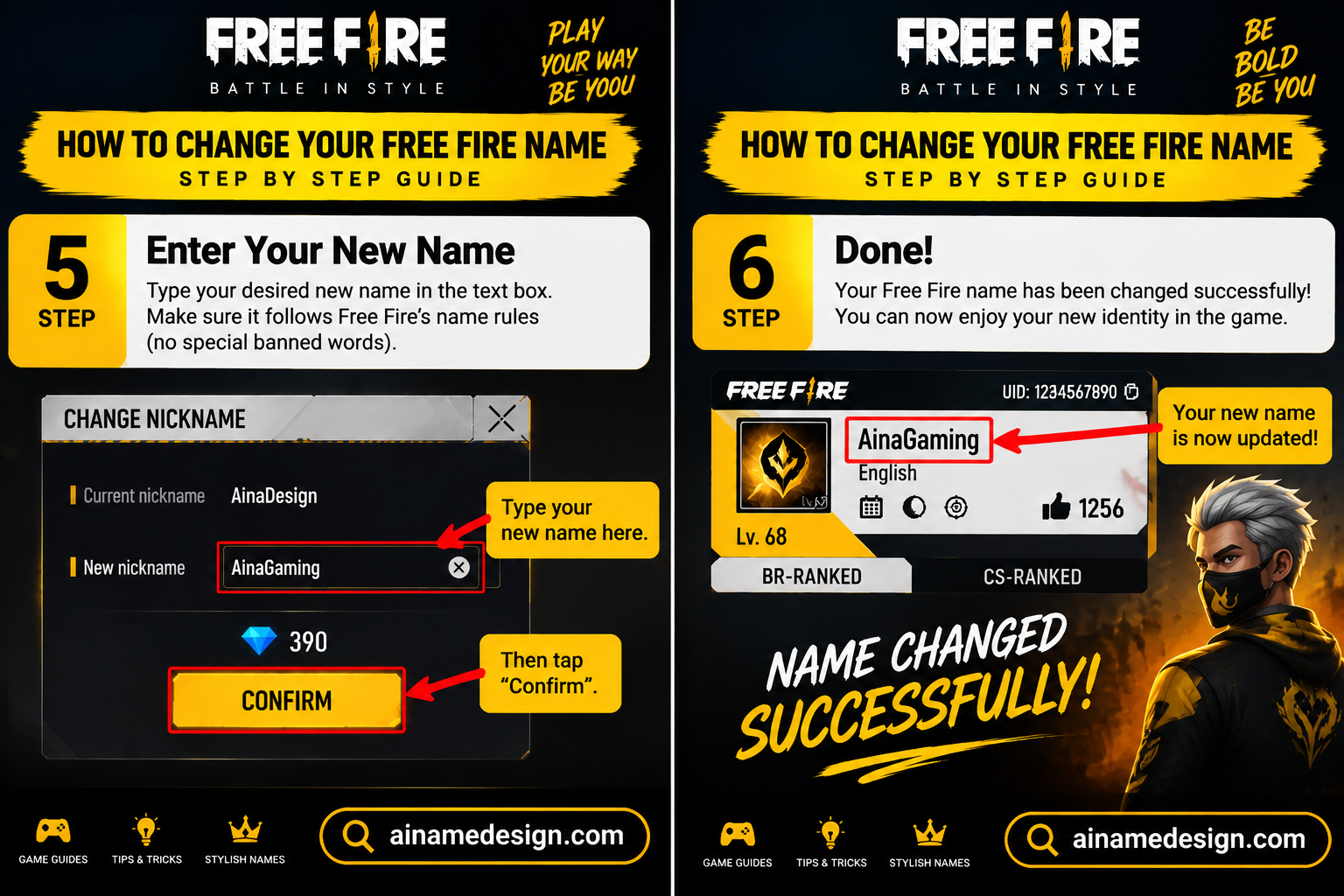
⚠️ Important: Once you confirm, you can't undo the change. Going back to your old name means paying again or using another card.
Free Ways to Rename (Without Diamonds)
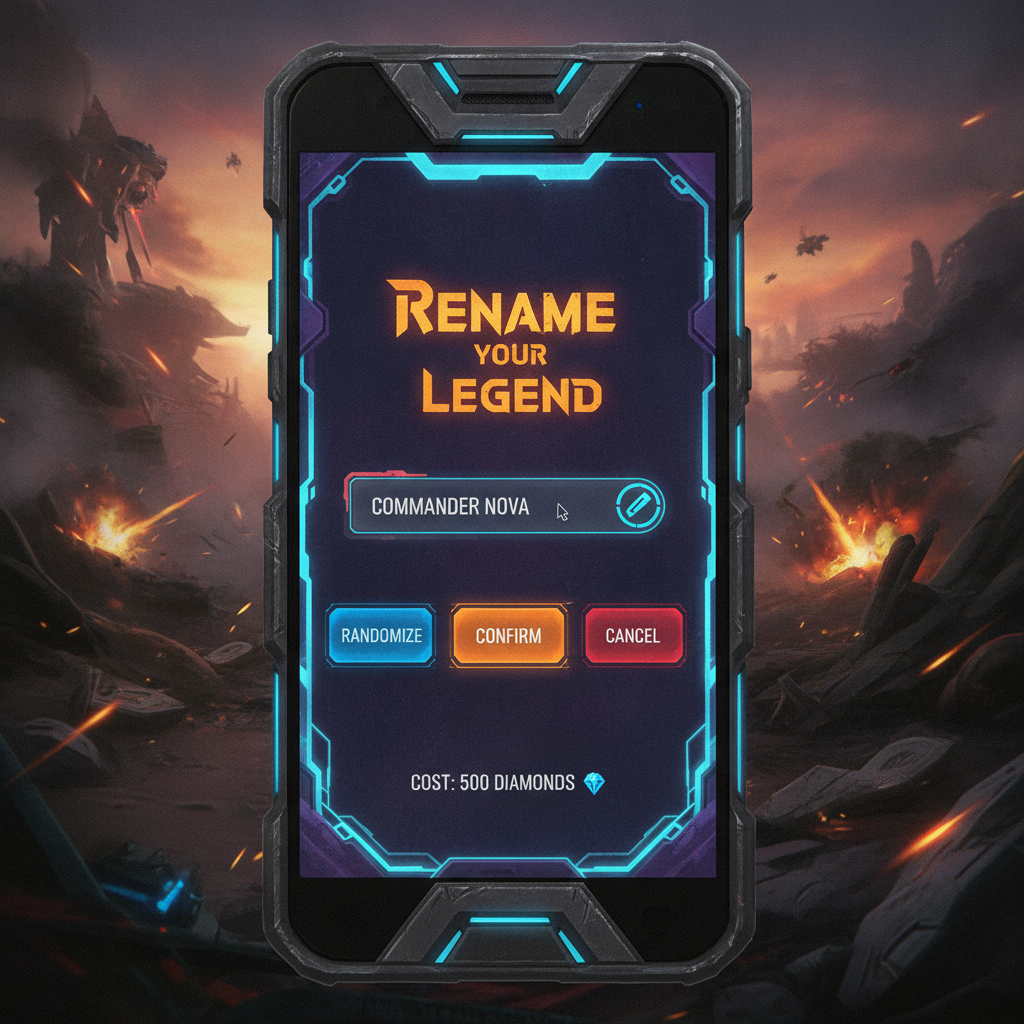
A Name Change Card lets you rename without paying the full diamond price. Here's where players usually get one:
- Guild Store: Join a guild and earn Guild Tokens by completing guild missions. Then go to Store → Redeem → Guild and buy the card for 39 diamonds + 200 tokens.
- Events: Garena often adds Name Change Cards to rewards in seasonal events, festival shops and login events.
- Dynamic Duo rewards: Level up your Dynamic Duo friendship with a friend. Some reward levels include a Name Change Card.
- New player rewards: New accounts sometimes get one in beginner sign-in gifts.
- Redeem codes: Official Free Fire redeem codes sometimes include a Name Change Card. Redeem them only on the official Garena redemption site.
After you get a card, it's stored in your Vault. Each card works once.
What It Costs After the First Change

| Method | Typical cost | When to use it |
|---|---|---|
| First rename | Free | Everyone gets one — make it count |
| Name Change Card | Free (from events) | Best option after your first rename |
| Diamonds | ~390–690 | When you want to rename right now |
Pricing shifts by region and promotion, so treat those numbers as a ballpark rather than a fixed price.
Common Rename Errors (and Fixes)
| Error or problem | What it usually means | How to fix it |
|---|---|---|
| Name already in use | Another player has exactly this name | Swap the symbol pair, change one letter's style, or add a short number |
| Name too long | The name, including symbols, is over 12 characters | Remove a symbol or shorten the word; some stylish letters count as two |
| Rejected by the filter | A word looks offensive or impersonates someone | Change the word itself; disguising it with symbols won't pass |
| Empty boxes in the name | That Unicode style isn't in the game's font | Switch to a style that renders, using the font generator |
| Not enough diamonds | Your free rename is already used | Wait for a Name Change Card from an event or reward |
| Change didn't show for friends | Their game hasn't refreshed yet | Ask them to reopen the friends list or restart the app |
Make a Stylish Name That Passes the Rename Screen
Most failed renames are stylish names that were never tested. Build the name first, then rename, in this order:
- Write the plain version of the name first, ideally 4 to 8 letters.
- Restyle it in one font with the fancy text generator and watch the live character count.
- Add one symbol pair at most from the symbols collection.
- Copy it with the copy button rather than by dragging, so no hidden characters come along.
- Paste it into the rename field and check that every character shows before you confirm.
| Plain name | Stylish version | Why it works |
|---|---|---|
| Emberlynn | Eᴍʙᴇʀʟʏɴɴ | Small caps stay readable at any size |
| Valora | ꧁Vᴀʟᴏʀᴀ꧂ | One compact frame, still under 12 characters |
| Kayen | ᴘʀᴏ✦Kᴀʏᴇɴ | A short pro prefix instead of a heavy frame |
| Soleia | 🦋Sᴏʟᴇɪᴀ | One emoji accent, easy to read |
What Changes After You Rename
- Your UID stays the same. Your account ID doesn't change, so your progress, rank, items and purchases are untouched.
- Friends and guild stay. Friends and guildmates see the new name once their list refreshes. Nobody has to add you again.
- Free Fire MAX shows it too. Free Fire and Free Fire MAX use the same account, so the new name appears in both.
- Your old name isn't reserved. Once you let it go, don't count on getting it back, because someone else may take it.
Should You Use Your Free Rename Now?
The free rename is a one-time pass, so it's worth a moment's thought. Most players use it too early, on a name they outgrow within a season.
- Use it now if your current name is a default, a typo, or something you'd be embarrassed to see in a tournament bracket.
- Wait if you're still deciding between styles. Test candidates in the rename field without confirming, then decide.
- Wait if your squad or guild is about to pick a shared tag, so you only rename once.
- Already used it? Hold off paying diamonds until an event or reward gives you a Name Change Card.
Where to Find Name Ideas Before You Rename
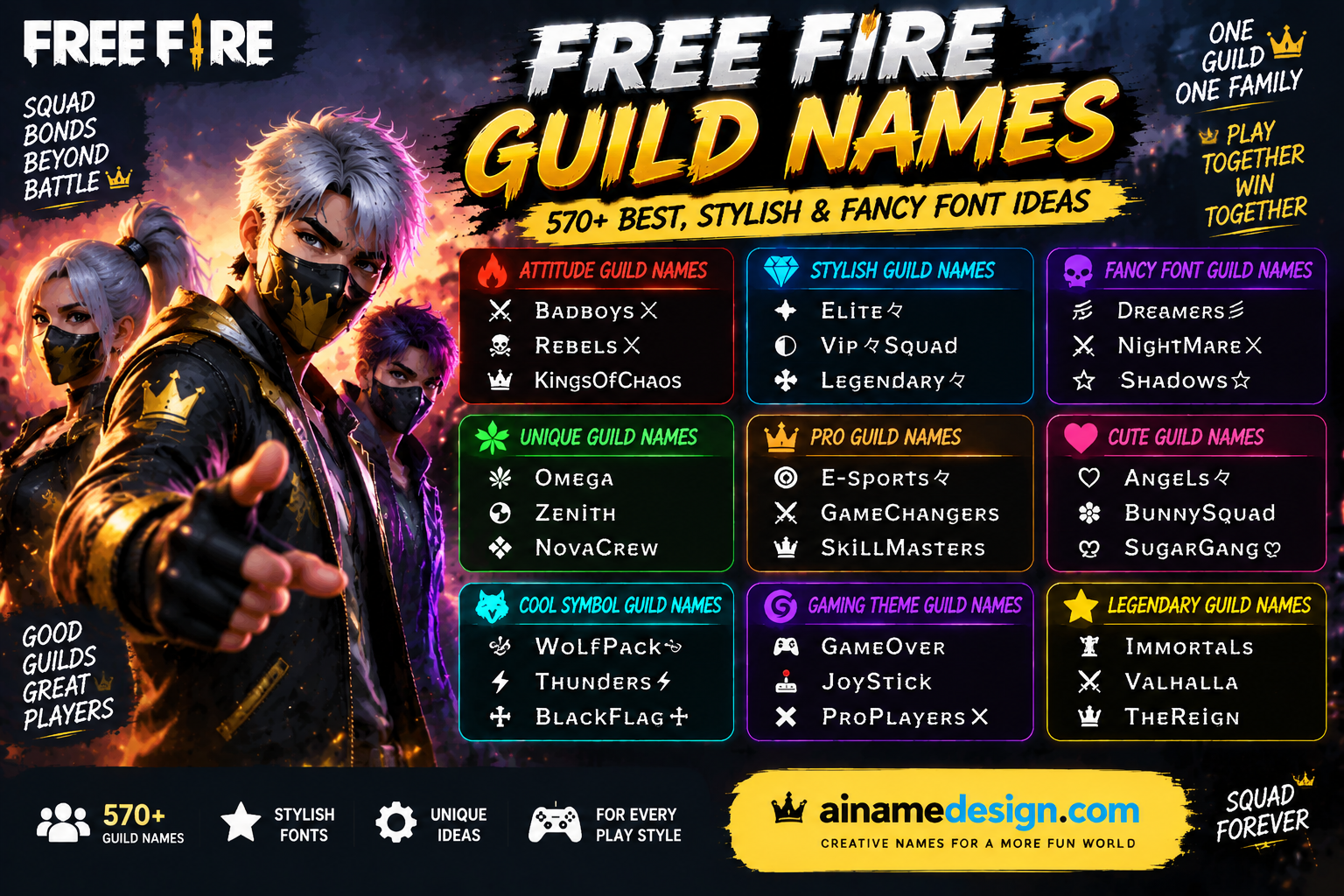
A rename is only as good as the name you bring to it. These guides are sorted by style, and every name in them fits the 12-character limit:
- Best Free Fire names for boys and girls, with savage, royal, cute and elegant styles.
- Cool Free Fire names for pro gamers, sorted by role: rusher, sniper, IGL and more.
- Free Fire names for girls, from cute and aesthetic to queen and savage.
- Funny Free Fire names, including troll, meme and lag jokes.
- Free Fire squad names, with tags if you're renaming as a team.
Rename Checklist
Run through this before you tap confirm, especially if the rename is costing you diamonds:
- The name is 12 characters or fewer, symbols included.
- Every character displays in the rename field, with no empty boxes.
- It doesn't copy a streamer, pro player or Garena staff member.
- You have a backup name ready in case this one is taken.
- You've checked your Vault for a Name Change Card before paying diamonds.
If you stream, post clips or play in custom rooms, update your name everywhere else on the same day. Your channel, Discord and tournament sign-ups should match, so viewers and organizers can still find you after the change.
Tips for Choosing a Good Free Fire Name
- Keep it short and easy to remember. You only get 12 characters.
- Use stylish symbols carefully. Some fonts look great but make it hard for friends to search for you.
- Match your brand. If you stream or post videos, use the same name as your channel.
- Avoid offensive or banned words. The game will reject them, and they can get your account reported.
- Make sure the name is available. Every name must be unique. If yours is taken, try adding a symbol or number.
Final Thoughts

Changing your Free Fire name takes under a minute once your new name is ready. Line it up first, watch for a free Name Change Card, and you'll rename without wasting diamonds. Need ideas? Browse our cute and creative Free Fire nicknames, cool pro names, or best names for boys and girls.
Read also: → How to Make an Invisible Name in Free Fire
Generate a Free Fire name instantly →Read also: → AI Name Design — Create Stylish Names, Fancy Fonts & Unicode Text Instantly
Need a name to go with your fresh rename? Build one with the Free Fire name generator, style it using the fancy text generator, or browse the symbols collection for decoration
Read also: → 445 Funny Free Fire Names That'll Make Your Squad Laugh