A Minecraft name generator gives you a finished name in seconds, whether that's a clean Java username, a styled nickname for a server, or a name tag for your favourite wolf. What most generators don't tell you is that Minecraft has several different places a name can go, each with its own rules. A name that looks perfect on a website can be rejected by the Java profile page, cut off by an anvil, or show up as empty boxes in the game's font.
This guide covers the whole picture: the types of Minecraft name generators, exactly where each kind of name works, the verified rules for usernames, name tags and formatting codes, and how to go from a generated idea to a name that actually works in-game. It also includes ready-to-copy ideas for usernames, pets, worlds and servers.
Quick note on sourcing: official rules come from Minecraft Help, and in-game behaviour (anvils, name tags, formatting codes) from the Minecraft Wiki, which is maintained by the community and tracks each game version. Game updates can change details, so the in-game or account screen is always the final word.
Read also: → Minecraft Name Generator — Stylish Minecraft Names
What Is a Minecraft Name Generator?
A Minecraft name generator is a tool that produces name ideas or restyles a name you already have. Under the hood, most of them do one of three jobs: suggest words and combinations, swap letters for decorative Unicode characters, or add symbols and colour formatting around a name.
The important part is that the output is always plain text. Nothing is installed, and nothing touches your game files or your account. You copy the result and paste it somewhere. That's why generators are safe to use, and also why they can't override Minecraft's rules: if a field only accepts letters and numbers, no generator can sneak a fancy font past it. Our Minecraft name generator is built around this, with results you can copy straight into the right place.
Types of Minecraft Name Generators
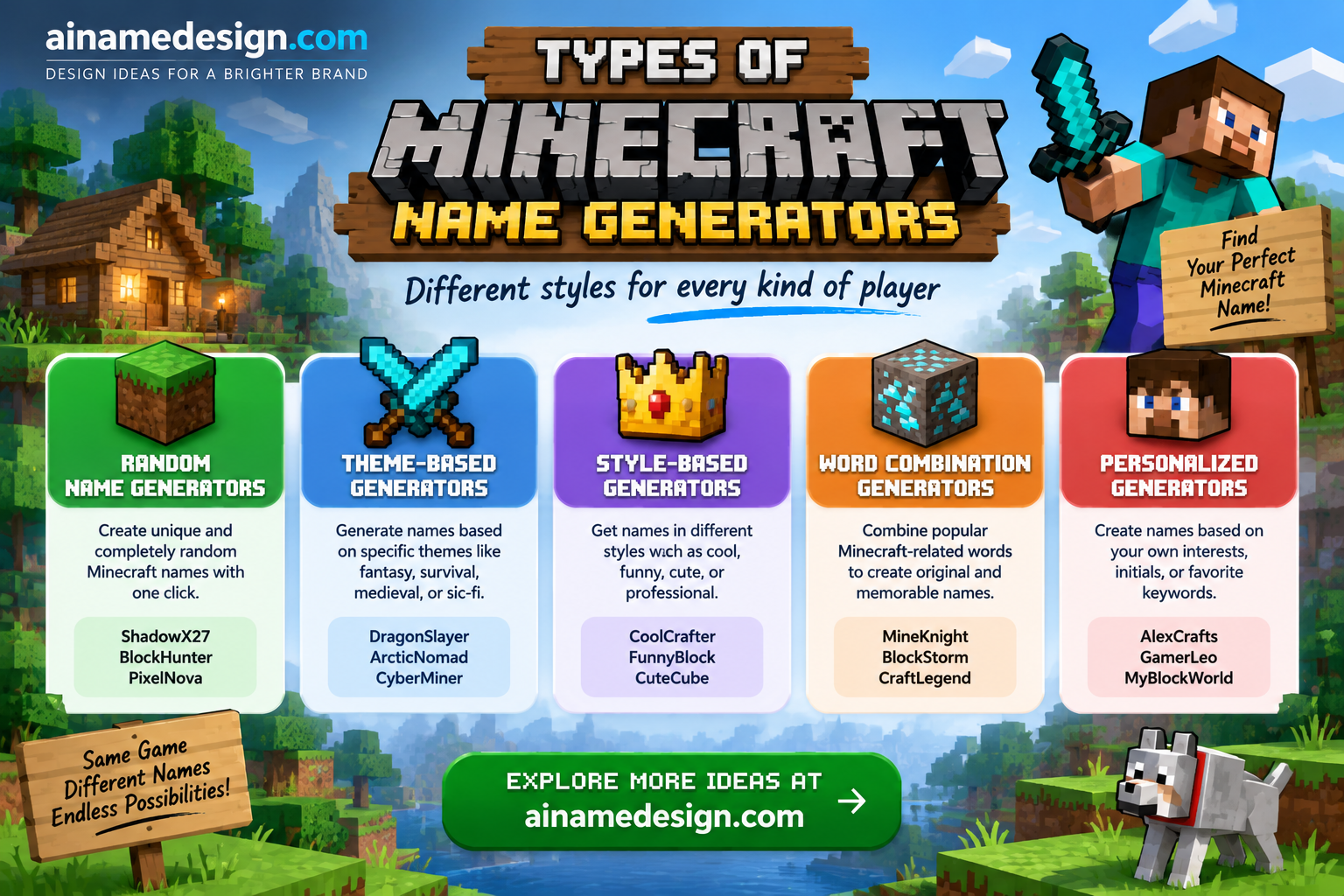
Not every generator is good at every job. Match the tool to what you're naming:
| Generator type | What it produces | Best used for | Won't work for |
|---|---|---|---|
| Username idea generator | Plain word combinations like Redstonewren | Java usernames, Bedrock gamertag ideas | Nothing, if it sticks to letters, numbers and _ |
| Fancy font generator | Letters swapped for styled Unicode | Server nicknames, name tags, item and world names | Java usernames |
| Symbol decorator | Frames like ꧁Name꧂ or ⛏Name | Name tags, signs, server nicknames | Java usernames |
| Colour code generator | Text with § formatting codes | Bedrock signs, books and anvil names; Java world titles | Java chat and renamed items in Java |
| World or server name generator | Place-style names like Emberfall Valley | Worlds, Realms, SMP servers | Usernames, since spaces aren't allowed |
| Tool | Best for |
|---|---|
| Nickname generator | Random name ideas from a keyword |
| Fancy text generator | Turning any word into styled fonts (with live character count) |
| Font generator | Browsing many letter styles side by side |
| Symbols | Copying decorative symbols to wrap a name |
A practical workflow is to use the nickname generator for raw ideas, the fancy text generator to style a name with a live character count, and the symbols collection or gaming symbols for decoration.
Where Each Kind of Minecraft Name Works
This is the part that trips people up. Minecraft doesn't have one name field, it has several, and each one accepts different text. Before you generate anything, check where the name is going:
| Where the name goes | Styled Unicode? | Length | Notes |
|---|---|---|---|
| Java Edition username | No | 3–16 characters | Letters, numbers and underscores only; changeable once every 30 days |
| Bedrock Edition name | Follows Xbox gamertag rules | Set by your Microsoft/Xbox account | Changed on Xbox.com or an Xbox, not in Minecraft |
| Renamed item or name tag (Java) | Often, if the font has the characters | Up to 50 characters | Costs 1 level plus any prior-work penalty |
| Renamed item or name tag (Bedrock) | Often, and § colour codes work | Up to 30 characters | Same 1-level anvil cost |
| World name | Usually | No practical limit for most players | Java world titles accept § formatting codes |
| Server nickname | Depends on the server | Set by the server's plugin | Many servers use & colour codes; check the server's rules |
| Signs and books (Bedrock) | Yes, with § colour codes | Limited by sign and page space | Java signs don't accept typed § codes |
Sources: Minecraft Help for account names, and the Minecraft Wiki pages on the anvil, name tag and formatting codes for in-game text.
Minecraft Java Username Rules
Your Java Edition username, which Minecraft now calls your profile name, is the strictest field in the game. According to the Minecraft Wiki's player page, Java usernames must be 3 to 16 characters, chosen from 63 possible characters: uppercase and lowercase letters, digits and the underscore. Minecraft Help confirms the 16-character maximum and the change rule.
- Length: 3 to 16 characters.
- Characters: A–Z, a–z, 0–9 and _ only. No spaces, symbols, emoji or styled letters.
- Changes: once every 30 days, from your games list on Minecraft.net.
- Going back: Minecraft Help says you can return to your old name after 30 days if you change your mind.
- Your old name isn't reserved forever: the Minecraft Wiki notes a released username becomes available for other players to claim after 37 days.
Because the rules are so tight, the best Java usernames are short, readable combinations of real words. Styled fonts from a generator are simply not accepted here, however good they look.
Bedrock Edition Names and Gamertags
Bedrock works differently. When you play Minecraft: Bedrock Edition with a Microsoft account, Minecraft Help explains that your in-game name is the gamertag on your Xbox/Microsoft account. You don't set it inside Minecraft at all. On Nintendo Switch, your name comes from your Nintendo account nickname instead.
That means a Bedrock name generator is really a gamertag idea generator. Gamertag rules are set by Xbox, not Minecraft, so check them on the gamertag change screen when you enter your idea. Styled fonts meant for name tags and servers won't carry over to your gamertag.
How to Change Your Minecraft Name
Java Edition
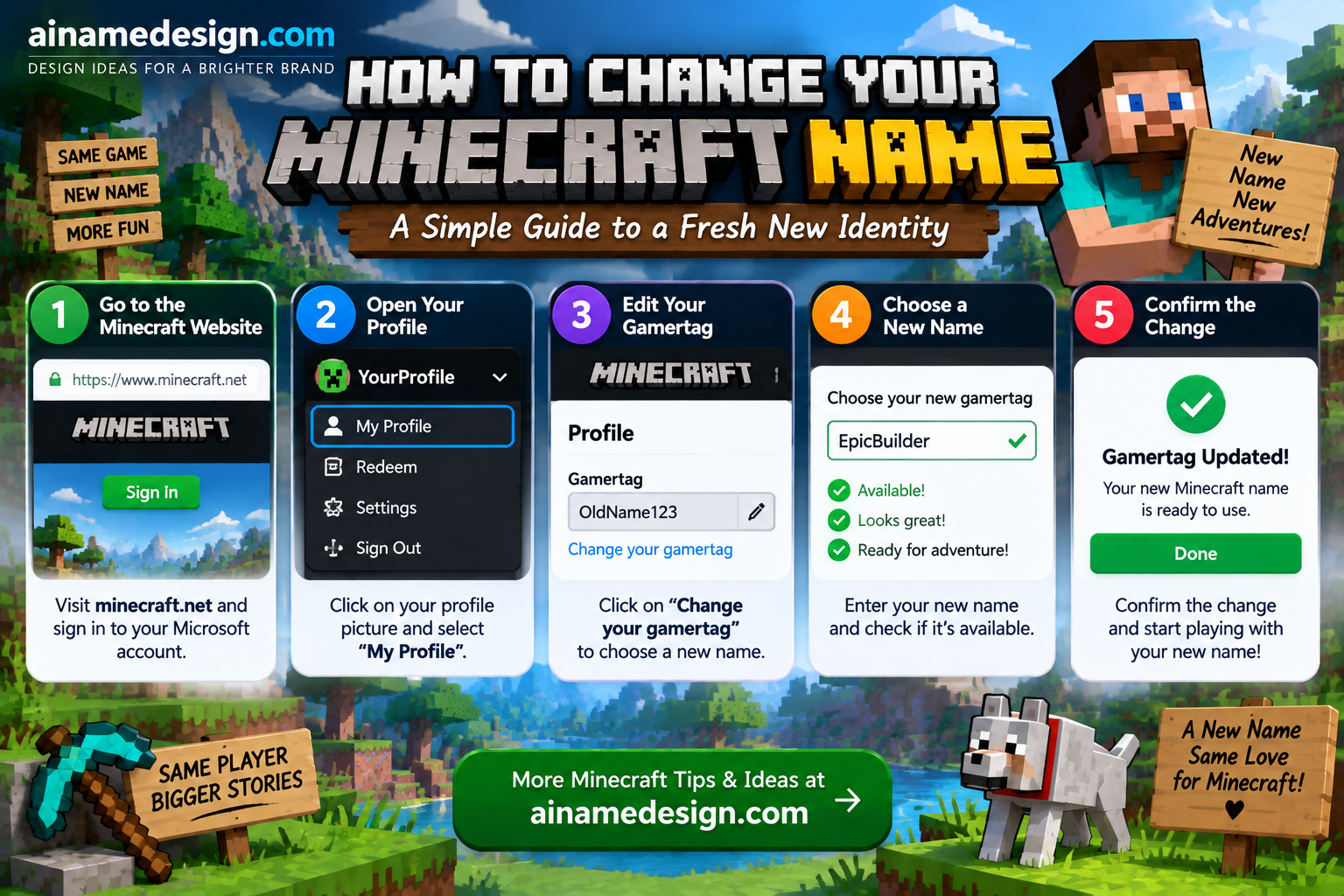
- Go to Minecraft.net and sign in with your Microsoft account.
- Open your games list and find Minecraft: Java Edition.
- Select Change Profile Name.
- Enter the new name, up to 16 letters, numbers or underscores, and confirm.
Bedrock Edition
- Sign in at Xbox.com with the Microsoft account you play on.
- Open your Xbox profile and select the pencil icon next to your gamertag.
- Choose a new gamertag and confirm. It updates in Minecraft the next time you sign in.
Settle on the final name before you change it. On Java, the next change is 30 days away, so test candidates with friends first.
How to Use a Minecraft Name Generator Step by Step
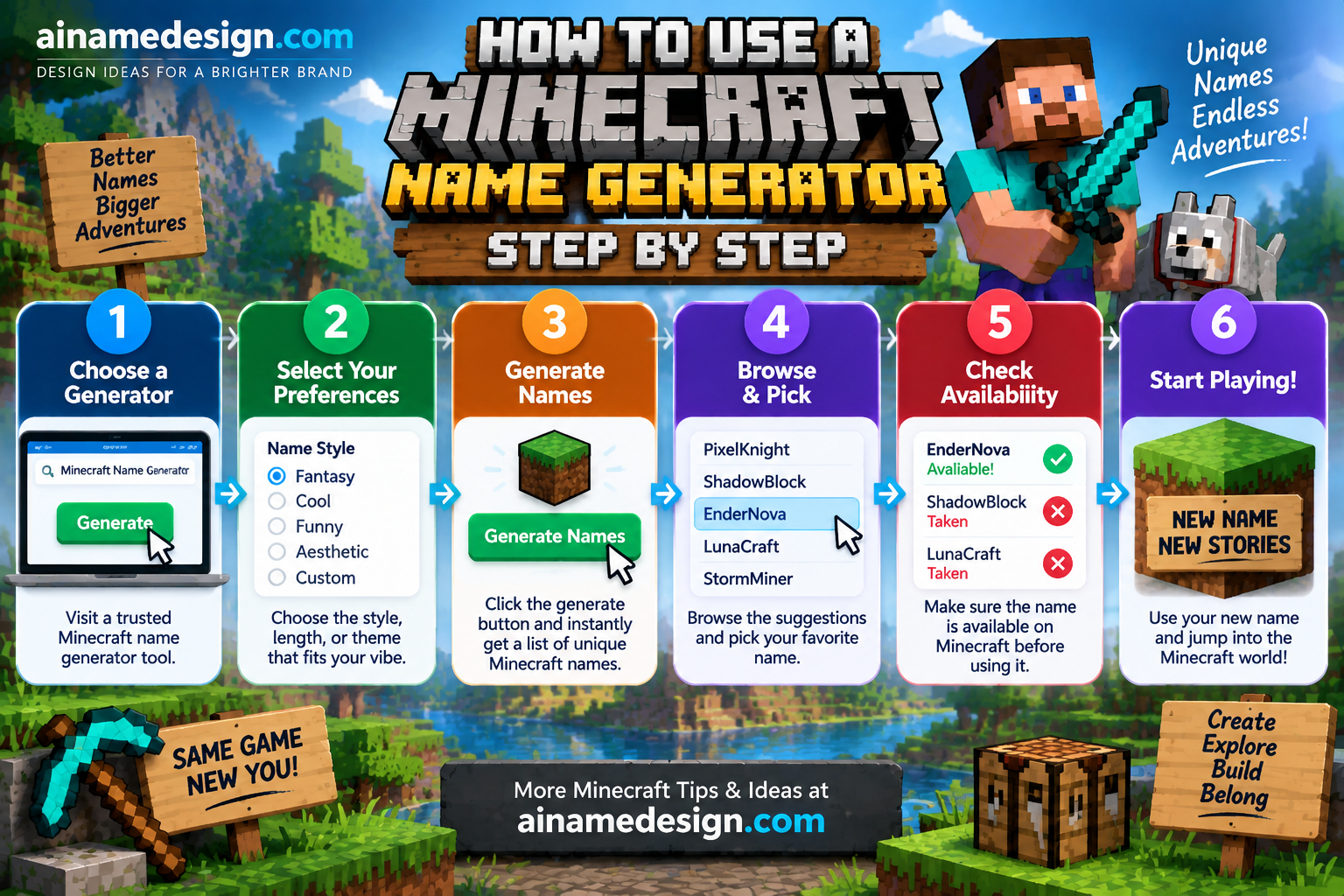
- Decide the destination first. Java username, gamertag, name tag, world, server nickname, sign or book. Each has different rules.
- Type a short base word. Four to eight letters leaves room for decoration and stays under the Bedrock anvil limit of 30 characters.
- Pick a style that fits the destination. Plain text for usernames; one font style for name tags and nicknames; colour codes only where they're supported.
- Add at most one symbol pair. Symbols count toward the length limit, and some render as boxes in Minecraft's font.
- Copy with the copy button. Dragging to select can pick up hidden characters or miss half a symbol.
- Paste and preview in-game. Check the anvil preview, the sign or the nickname command result before you confirm and spend levels.
Minecraft Colour and Formatting Codes
Colour codes are one of the most useful things a Minecraft name generator can add, and one of the most misunderstood. Minecraft formats text with the section sign § followed by a single character. According to the Minecraft Wiki's formatting codes page, Bedrock Edition accepts these codes in signs, books, chat and anvil item names. In Java Edition they only work outside normal gameplay, such as in world titles, server settings and resource packs. Typing § in Java chat disconnects you.
| Code | Result | Code | Result |
|---|---|---|---|
| §0 | Black | §8 | Dark gray |
| §1 | Dark blue | §9 | Blue |
| §2 | Dark green | §a | Green |
| §3 | Dark aqua | §b | Aqua |
| §4 | Dark red | §c | Red |
| §5 | Dark purple | §d | Light purple |
| §6 | Gold | §e | Yellow |
| §7 | Gray | §f | White |
| Code | Formatting |
|---|---|
| §l | Bold |
| §o | Italic |
| §n | Underlined |
| §m | Strikethrough |
| §k | Obfuscated (scrambling characters) |
| §r | Reset all formatting |
A code applies to everything after it, so §6§lGolden Pickaxe gives you bold gold text on Bedrock. Put the colour code before the formatting code, and use §r to switch back to plain text partway through a name. Many multiplayer servers use & instead of § for nickname colours through their own plugins, so follow the server's instructions there.
Naming Mobs With Name Tags
Name tags are where generated names get the most use. You rename a name tag at an anvil for 1 experience level, then use it on a mob. According to the Minecraft Wiki's name tag page, a named mob won't despawn and doesn't count toward the mob cap, with the exception of wandering traders. It's the easiest way to keep a favourite pet safe.
Secret name tag names
A few names trigger hidden effects. They're case-sensitive, so type them exactly:
| Name | Mob | What happens |
|---|---|---|
| Dinnerbone | Any mob | Flips the mob upside down |
| Grumm | Any mob | Also flips the mob upside down |
| jeb_ | Sheep | Wool cycles through every dye colour; shearing still drops the original colour |
| Toast | Rabbit | Gives it a special memorial skin |
| Johnny | Vindicator | Makes it attack nearly every mob nearby |
Pet name ideas
These all fit the 30-character Bedrock anvil limit, so they work on both editions:
Select any name in the following list to copy it.
Stylish Names for Servers, Name Tags and Worlds
These use Unicode styling, so they won't work as a Java username. Use them for server nicknames (where the server allows it), renamed items, name tags and world names. Test one in the anvil first, since Minecraft's font doesn't include every styled character.
- ⛏Oʀᴇʜᴇᴀʀᴛ
- 『Gʟᴏᴡᴍᴏss』
- 𝓒𝓵𝓸𝓾𝓭𝓿𝓪𝓵𝓮✧
- ꧁Nᴇᴛʜᴇʀᴋɪɴ꧂
- 𝖁𝖔𝖎𝖉𝖑𝖎𝖓𝖌
- 𝔹𝕝𝕠𝕔𝕜𝕤𝕥𝕒𝕣
- ✦Eᴍʙᴇʀʟᴏᴅᴇ✦
- ☾Nɪɢʜᴛᴄʀᴀꜰᴛ
- 𝙿𝚒𝚡𝚎𝚕𝚏𝚘𝚛𝚐𝚎
- ♛Dɪᴀᴍᴏɴᴅʟᴏʀᴅ
Why styled names sometimes show as boxes
- Missing characters in the game font. A style can look fine on a website and show as empty boxes in-game if Minecraft's font doesn't include those characters.
- Combining marks. Glitch-style text stacks accents on each letter, which counts against the length limit and often renders badly.
- Different devices. Java on PC, Bedrock on mobile and consoles can render text differently. Check on the device you actually play on.
- Resource packs. A custom font from a resource pack can change which characters display.
Java-Ready Minecraft Username Ideas
Every name below uses only letters, numbers and underscores and is 16 characters or fewer, so it's valid as a Java profile name. For hundreds more sorted by style, see our Minecraft names list.
- Oakwhisper
- Redstonewren
- Pixelpickaxe
- Creeperkin
- Glowberry_Jo
- Mossy_Cobble
- Endershard
- Netherfern
- Blazeroot
- Slimechunk
- Copperbloom
- Deepslater
- Amethyst_Kai
- Warden_Whisper
- Beaconboy
- Lapislark
- Frostwalker_7
- Driftfeather
- Axolotlpal
- Honeycomb_Hal
- Kelpdiver
- Sculkshade
- Obsidiank
- Quartzling
- Mangrove_Mo
- Cherrygrove
- Snifferpup
- Chestnut_Ace
- Minecartmiles
- Bedrockbard
- Emeraldelf
- Spruceshadow
- Tridentide
- Lanternlight
- Elytrawing
- Mushroomhut
- Villagevic
- Totemkeeper
- Dirtblockdan
Username ideas by playstyle
A name that hints at how you play makes you easier to remember on a server. Each of these is Java-valid:
| You mostly… | Username ideas |
|---|---|
| Build huge bases | Blueprintbee, Scaffoldsam, Pillarpaige |
| Wire redstone contraptions | Pistonpip, Comparatorcal, Repeaterray |
| PvP and minigames | Swordswipe_Ty, Critcombo, Shieldbash_Jo |
| Explore and map the world | Biomebound, Compassroamer, Mapmakermia |
| Farm and trade with villagers | Wheatwhisper, Emeraldbarter, Composter_Kit |
World and Server Name Ideas
World and server names can include spaces and are far more flexible than usernames. Place-style names age well and make a world easy to find in a long list:
World names
Select any name in the following list to copy it.
SMP and server names
Select any name in the following list to copy it.
How to Pick a Good Minecraft Username
- Say it out loud. Friends on voice chat will call you by it, so avoid strings of random letters.
- Use underscores sparingly. One underscore can separate words, but several look messy and are easy to mistype when someone adds you.
- Skip the birth year. Numbers like 2009 date you and are the first thing people use to guess personal details.
- Think long-term. Java names can only change once every 30 days, so choose something you won't tire of next month.
- Check it's free. The name change page tells you straight away if someone already has it, so keep two or three backups.
Common Mistakes With Generated Minecraft Names
- Pasting a styled name into the Java name field. It will be rejected. Styled text belongs on servers, name tags and worlds.
- Assuming a server allows formatting. Nickname plugins and their permissions differ from server to server, so check the server's rules or ask a moderator.
- Using a Bedrock gamertag rule for Java. The two editions name you differently, so a name that works as a gamertag may not be a valid Java profile name.
- Burning your 30-day change on a test. Decide on the final name before you change it, because the next change is a month away.
What's the Best Minecraft Name Generator?
The best Minecraft name generator is the one that matches where your name is going. For a Java username, use a generator that sticks to letters, numbers and underscores. For name tags, servers and worlds, use one with a live preview and character count so you can stay under the anvil limit. Either way, confirm the final name in the game before you commit.
Read also: → Minecraft Names: 500+ Cool, Unique & Stylish Minecraft Names
Final Thoughts
A name generator saves you from hunting through Unicode by hand, but the rules decide where each name can live. Keep usernames plain, save styled fonts and colour codes for name tags, worlds and servers, and test before you spend levels or a 30-day change. For more decoration ideas, see our guides to using gaming symbols in usernames and stylish gaming fonts.
Try the nickname generator →Want more ideas? The Minecraft name generator has hundreds of ready-made picks, the fancy text generator lets you build your own styles, and the nickname generator is handy when you just want random inspiration.
Read also: → Free Fire Name Generators: Tools and Tips