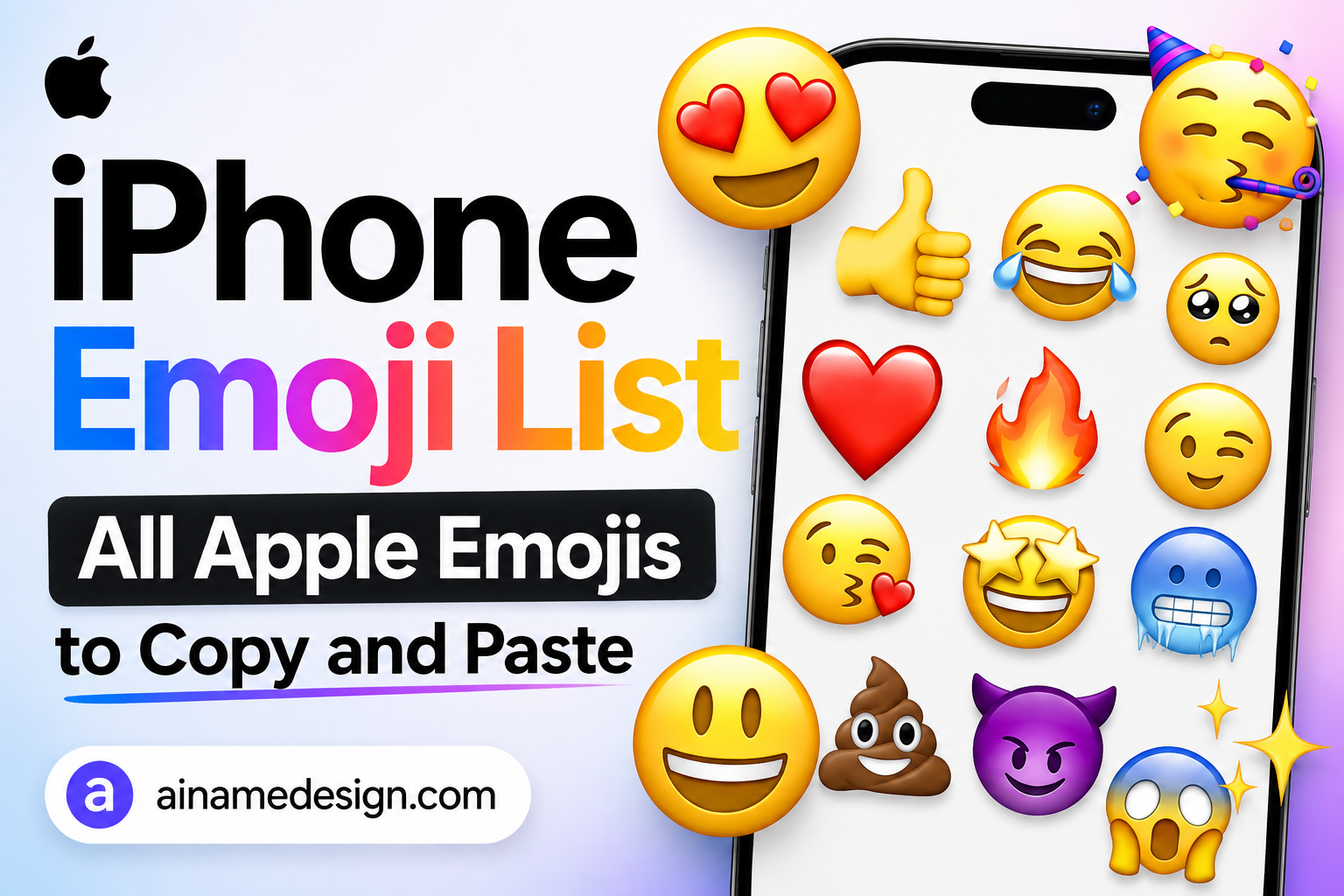
An Apple emoji list is simply the set of emoji an iPhone can display. There are 3870 of them here. Every one is a standard Unicode character, organised the way Unicode organises them. Each was checked against Unicode's own emoji data before publishing. Tap any emoji to copy it.
What people call an "iPhone emoji" is two things at once. The character is a Unicode standard: 😂 is the same codepoint on an iPhone, an Android phone and a Windows laptop. The picture is Apple's own artwork, drawn by the Apple Color Emoji font that ships with iOS, macOS, watchOS and tvOS.
So when you copy from this Apple emoji list you are copying the character, not Apple's drawing. Paste it anywhere and it appears in whatever style the reader's device uses. That is not a limitation — it is the reason emoji survive being sent between completely different systems.
The nine sections below follow the standard categories: Smileys & Emotion, People & Body, Animals & Nature, Food & Drink, Activities, Travel & Places, Objects, Symbols and Flags. Each is split into its own subsections so you can find a specific emoji instead of scrolling. If you would rather search than scroll, the emoji library has the same collection with a search box.
iPhone Emoji Copy and Paste: How It Works
Copying is the same two steps everywhere. Copy the character. Paste it where you want it. Every emoji in this Apple emoji list works that way. Tap or click one to copy it.
- Pick an emoji from any section and tap or click it once to copy.
- On a computer: click into the destination field, then press Ctrl+V on Windows or Cmd+V on a Mac.
- On a phone: touch and hold the field until the menu appears, then tap Paste.
- Check it pasted as an emoji and not as an empty box.
- If it looks wrong, the app may not support that character — pick a more common one.
- Send or save only once it renders correctly in the field itself.
For everyday typing you do not need this page at all — the emoji keyboard is built into iOS. Apple's own instructions are to tap the text field, then tap the Emoji button or the globe. From there you can switch category with the icons along the bottom, tap the clock for recently used emoji, or type in the Search Emoji field. If the keyboard is missing, add it under Settings, General, Keyboard, Keyboards, Add New Keyboard, Emoji.
Smileys & Emotion Emojis
Faces, hearts and emotion marks — the group everyone reaches for first, and the most consistently supported across every device still in use.
The Apple emoji list starts here because these are the oldest and safest emoji in the standard.
Smileys open the Apple emoji list. There are 168 of them. Faces come first, then hearts, then the small emotion marks. Almost all of them date from the earliest emoji releases. That is why they work on practically any device. If you are unsure what a recipient is using, choose from here.
Smiling faces
Grins, laughs and warm smiles. 14 emoji.
Select any name in the following list to copy it.
Love and affection
Hearts, kisses and adoring faces. 9 emoji.
Select any name in the following list to copy it.
Tongue faces
Playful faces with the tongue out. 6 emoji.
Select any name in the following list to copy it.
Faces with hands
Faces covered, shushed or thinking. 7 emoji.
Select any name in the following list to copy it.
Neutral and sceptical
Flat, doubtful and unimpressed looks. 16 emoji.
Select any name in the following list to copy it.
Sleepy faces
Tired, drowsy and asleep. 5 emoji.
Select any name in the following list to copy it.
Unwell faces
Sick, dizzy, hot and cold. 12 emoji.
Select any name in the following list to copy it.
Faces with hats
Faces wearing hats. 3 emoji.
Select any name in the following list to copy it.
Faces with glasses
Faces in glasses. 3 emoji.
Select any name in the following list to copy it.
Concerned and sad
Worried, sad and crying faces. 26 emoji.
Select any name in the following list to copy it.
Angry and negative
Anger, swearing and devils. 8 emoji.
Select any name in the following list to copy it.
Costume faces
Clowns, ghosts, robots and aliens. 8 emoji.
Select any name in the following list to copy it.
Cat faces
The cat versions of common faces. 9 emoji.
Select any name in the following list to copy it.
Monkey faces
See, hear and speak no evil. 3 emoji.
Select any name in the following list to copy it.
Hearts
Every heart colour and style. 25 emoji.
Select any name in the following list to copy it.
Emotion symbols
Speech bubbles, anger marks and sparks. 14 emoji.
Select any name in the following list to copy it.
People & Body Emojis
Hands, gestures, people, professions, families and body parts. This is the largest group in the Apple emoji list and the one where skin-tone modifiers apply.
Every entry below is the neutral base form. The tone variants are shown separately further down so they are not counted as different emoji.
This group is the largest. It holds 386 base emoji. Hands come first, then people, then roles and families. Most accept skin tones. The neutral form is listed; tones follow at the end of the group.
Skin tones are included here in full. Each toned emoji is its own Unicode sequence: the base emoji followed by a modifier character. They sit next to their base emoji below, in Unicode's own order. On an iPhone you can also switch tone directly by touching and holding an emoji on the keyboard.
Open hands
Open palms and waves. 66 emoji.
Select any name in the following list to copy it.
Partial finger gestures
Peace signs, pinches and crossed fingers. 54 emoji.
Select any name in the following list to copy it.
Single-finger gestures
Pointing in every direction. 42 emoji.
Select any name in the following list to copy it.
Closed hands
Fists, thumbs and punches. 36 emoji.
Select any name in the following list to copy it.
Two-handed gestures
Two-handed gestures. 62 emoji.
Select any name in the following list to copy it.
Hands with props
Hands holding something. 18 emoji.
Select any name in the following list to copy it.
Body parts
Arms, legs, ears, eyes and more. 48 emoji.
Select any name in the following list to copy it.
People
People and hairstyles. 168 emoji.
Select any name in the following list to copy it.
Gestures
Poses, bows and shrugs. 180 emoji.
Select any name in the following list to copy it.
Roles and professions
Jobs, uniforms and titles. 492 emoji.
Select any name in the following list to copy it.
Fantasy characters
Fairies, vampires, elves and angels. 157 emoji.
Select any name in the following list to copy it.
People doing things
Walking, running, climbing and dancing. 408 emoji.
Select any name in the following list to copy it.
People playing sport
People playing every sport. 248 emoji.
Select any name in the following list to copy it.
Resting
Lying down and sleeping. 30 emoji.
Select any name in the following list to copy it.
Families and couples
Couples, families and holding hands. 337 emoji.
Select any name in the following list to copy it.
People symbols
Silhouettes and access symbols. 10 emoji.
Select any name in the following list to copy it.
Animals & Nature Emojis
Mammals, birds, reptiles, sea life, insects, flowers and plants, in Unicode's own order.
Animals are among the most consistently drawn emoji across vendors. That makes them a safe pick when you do not know the reader's device. They are the most reliable section of any Apple emoji list.
Animals are among the most-copied entries in any Apple emoji list. There are 158. Mammals lead, then birds and reptiles. Sea life and insects follow. Flowers and plants close the group. Animals render consistently across vendors, which makes them safe choices.
Mammals
From pets to big cats. 66 emoji.
Select any name in the following list to copy it.
Birds
Birds of every kind. 22 emoji.
Select any name in the following list to copy it.
Amphibians
The frog. 1 emoji.
Select any name in the following list to copy it.
Reptiles
Snakes, lizards and dinosaurs. 8 emoji.
Select any name in the following list to copy it.
Sea life
Fish, whales and shells. 17 emoji.
Select any name in the following list to copy it.
Insects and bugs
Insects, spiders and microbes. 16 emoji.
Select any name in the following list to copy it.
Flowers
Blossoms and bouquets. 12 emoji.
Select any name in the following list to copy it.
Plants and leaves
Leaves, trees and seedlings. 16 emoji.
Select any name in the following list to copy it.
Food & Drink Emojis
Fruit, vegetables, prepared dishes, Asian food, sweets, drinks and dishware.
This is the group where Apple's artwork differs most visibly from other vendors — the character is identical, the plate is not.
Food is one of the most-copied parts of any Apple emoji list. There are 130 here. Fruit and vegetables come first. Prepared dishes and Asian food follow. Sweets, drinks and dishware finish the group. Food is where Apple's artwork diverges most from other vendors.
Fruit
Fruit and berries. 20 emoji.
Select any name in the following list to copy it.
Vegetables
Vegetables, herbs and roots. 18 emoji.
Select any name in the following list to copy it.
Prepared food
Hot meals and street food. 34 emoji.
Select any name in the following list to copy it.
Asian food
Rice, noodles, sushi and dumplings. 17 emoji.
Select any name in the following list to copy it.
Sweets and desserts
Cake, sweets and ice cream. 14 emoji.
Select any name in the following list to copy it.
Drinks
Hot drinks, cold drinks and cocktails. 20 emoji.
Select any name in the following list to copy it.
Dishware
Plates, cutlery and jars. 7 emoji.
Select any name in the following list to copy it.
Activities Emojis
Events, awards, sports, games, and arts and crafts.
Medals and party emoji dominate real usage here. Both read clearly at small sizes. That is rarer in an Apple emoji list than you might expect.
Activities are the smallest part of the Apple emoji list, at 85 entries. Events and awards come first. Sports and games follow. Arts and crafts close it. Medals and party emoji do most of the work in real usage.
Events and celebrations
Parties, holidays and tickets. 21 emoji.
Select any name in the following list to copy it.
Awards and medals
Trophies, medals and rosettes. 6 emoji.
Select any name in the following list to copy it.
Sports
Balls, gear and targets. 27 emoji.
Select any name in the following list to copy it.
Games
Board games, cards and controllers. 24 emoji.
Select any name in the following list to copy it.
Arts and crafts
Painting, sewing and performance. 7 emoji.
Select any name in the following list to copy it.
Travel & Places Emojis
Maps, geography, buildings, ground and air transport, clocks and the whole sky-and-weather set.
The clock faces are an underused set: they run in half-hour steps and work as a sequence rather than as single characters.
Travel is where the Apple emoji list is largest outside people. There are 218 entries. Maps and geography come first. Buildings and places follow. Then ground, water and air transport. Clocks and the sky-and-weather set close the group.
Maps
Maps and globes. 7 emoji.
Select any name in the following list to copy it.
Geography
Mountains, deserts and islands. 9 emoji.
Select any name in the following list to copy it.
Buildings
Houses, offices and landmarks. 27 emoji.
Select any name in the following list to copy it.
Religious places
Churches, mosques and temples. 6 emoji.
Select any name in the following list to copy it.
Other places
Fountains, tents and carousels. 17 emoji.
Select any name in the following list to copy it.
Ground transport
Cars, trains, bikes and signs. 50 emoji.
Select any name in the following list to copy it.
Water transport
Boats and ships. 9 emoji.
Select any name in the following list to copy it.
Air transport
Planes, rockets and seats. 13 emoji.
Select any name in the following list to copy it.
Hotel
Luggage and beds. 2 emoji.
Select any name in the following list to copy it.
Clocks and time
Clock faces in half-hour steps. 31 emoji.
Select any name in the following list to copy it.
Sky and weather
Sun, moon phases, rain and storms. 47 emoji.
Select any name in the following list to copy it.
Objects Emojis
Clothing, sound, music, phones, computers, books, money, mail, stationery, tools, science, medical and household items.
Object emoji suit professional contexts best. A face can read as too casual. This is the part of the Apple emoji list that works in a work bio.
Objects make up the most varied part of the Apple emoji list, at 262 entries. Clothing opens it. Music, phones and computers follow. Then books, money, mail and stationery. Tools, science, medical and household items close it.
Clothing and accessories
Clothes, shoes, bags and jewellery. 47 emoji.
Select any name in the following list to copy it.
Sound
Speakers, bells and volume. 9 emoji.
Select any name in the following list to copy it.
Music
Notes, mics and headphones. 9 emoji.
Select any name in the following list to copy it.
Musical instruments
Guitars, drums and keys. 11 emoji.
Select any name in the following list to copy it.
Phones
Phones and calls. 6 emoji.
Select any name in the following list to copy it.
Computers
Laptops, disks and printers. 14 emoji.
Select any name in the following list to copy it.
Light and video
Cameras, film and lamps. 16 emoji.
Select any name in the following list to copy it.
Books and paper
Books, papers and newspapers. 17 emoji.
Select any name in the following list to copy it.
Money
Notes, coins and cards. 10 emoji.
Select any name in the following list to copy it.
Envelopes, boxes and post. 13 emoji.
Select any name in the following list to copy it.
Writing
Pens, pencils and brushes. 7 emoji.
Select any name in the following list to copy it.
Office
Folders, charts and clips. 23 emoji.
Select any name in the following list to copy it.
Locks and keys
Locks and keys. 6 emoji.
Select any name in the following list to copy it.
Tools
Hammers, spanners and blades. 26 emoji.
Select any name in the following list to copy it.
Science
Test tubes and microscopes. 7 emoji.
Select any name in the following list to copy it.
Medical
Pills, syringes and X-rays. 7 emoji.
Select any name in the following list to copy it.
Household
Doors, beds, cleaning and furniture. 25 emoji.
Select any name in the following list to copy it.
Other objects
Smoking, coffins and stones. 9 emoji.
Select any name in the following list to copy it.
Symbols Emojis
Transport signs, warnings, arrows, religion, zodiac, media controls, maths, punctuation, currency, keycaps, letters, numbers and shapes.
These sit on the boundary between emoji and plain text symbols — some render in colour, some as plain glyphs, depending on the font.
Symbols close out the readable part of the Apple emoji list. There are 223 entries. Signs and warnings come first. Arrows, religion and zodiac follow. Media controls, maths and punctuation come next. Keycaps, letters, numbers and shapes finish the group.
Transport signs
Toilets, lifts and passport control. 13 emoji.
Select any name in the following list to copy it.
Warning signs
Hazards, bans and alerts. 13 emoji.
Select any name in the following list to copy it.
Arrows
Arrows in every direction. 21 emoji.
Select any name in the following list to copy it.
Religion
Faith symbols and places of worship. 13 emoji.
Select any name in the following list to copy it.
Zodiac
All twelve signs plus Ophiuchus. 13 emoji.
Select any name in the following list to copy it.
Media controls
Play, pause, skip and repeat. 25 emoji.
Select any name in the following list to copy it.
Gender symbols
Gender symbols. 3 emoji.
Select any name in the following list to copy it.
Maths symbols
Plus, minus, divide and infinity. 6 emoji.
Select any name in the following list to copy it.
Punctuation
Marks and question symbols. 7 emoji.
Select any name in the following list to copy it.
Currency
Currency exchange and dollar. 2 emoji.
Select any name in the following list to copy it.
Other symbols
Ticks, crosses, hearts and marks. 21 emoji.
Select any name in the following list to copy it.
Keycaps
Numbers on keys. 13 emoji.
Select any name in the following list to copy it.
Letters and numbers
Letters, numbers and letter blocks. 39 emoji.
Select any name in the following list to copy it.
Shapes
Circles, squares and diamonds. 34 emoji.
Select any name in the following list to copy it.
Flags Emojis
Generic flags, then every country flag, then subdivision flags.
Flags are built from paired regional indicator letters, which is why they are the least reliable emoji across platforms: a device that cannot combine the pair shows two letter boxes instead.
Flags end the Apple emoji list. There are 270 entries. Generic flags come first. Then every country flag in alphabetical order. Subdivision flags close it. Each country flag is two characters, not one.
Generic flags
Chequered, black, white and rainbow. 8 emoji.
Select any name in the following list to copy it.
Country flags
Every country, in alphabetical order. 259 emoji.
Select any name in the following list to copy it.
Subdivision flags
England, Scotland and Wales. 3 emoji.
Select any name in the following list to copy it.
How This Apple Emoji List Is Organised
Nine categories. Ninety-nine subsections. Every emoji appears exactly once. No entry is repeated to pad the count.
This Apple emoji list uses Unicode's own order, not ours. That matters for finding things. Emoji keyboards on every platform use the same ordering, so a character sits in roughly the same place here as it does on your phone. Scroll to the group, then to the subsection.
Skin-tone variants are included in full. Each one is its own Unicode sequence, so each is counted and listed. They sit beside their base emoji rather than in a separate block. That adds 1,970 entries on top of the 1,900 base emoji.
Seventy-four very new emoji are left out. They are valid characters. They simply do not render yet on most devices, so they would be dead weight in an Apple emoji list meant for copying.
Apple Emoji vs Unicode Emoji: What the Terms Mean
These get used interchangeably and mean different things. The distinction is the most useful thing to understand about emoji.
| Term | What it usually means |
|---|---|
| Unicode emoji | The character itself — a codepoint or sequence defined by the Unicode Standard. This is what you copy. |
| Apple emoji | Apple's artwork for that character, drawn by the Apple Color Emoji font on iOS, macOS, watchOS and tvOS. |
| iPhone emoji | Informally the same thing as Apple emoji: how the standard character looks on an iPhone. |
| Emoji artwork | Any vendor's images — Apple's, Google's, Samsung's, Microsoft's. Owned by that vendor, not by Unicode. |
Unicode's emoji FAQ is explicit on ownership: the Consortium states it is not the owner of the colour images platforms use, has no control over vendor emoji images, and directs permission requests to those vendors. The character is an open standard; the pictures are not.
There is one genuine exception on Apple devices. The Apple logo character is not a Unicode emoji at all — it lives in a Private Use Area codepoint, which is why it displays on Apple hardware and shows as a blank box almost everywhere else. It is deliberately not included in this Apple emoji list, because it would not work for most people who copied it.
Why iPhone Emojis Look Different on Android or Windows
Because you are seeing a different font. Not a different character. Every platform ships its own emoji font. Each draws the same codepoint in its own style. Nothing in this Apple emoji list changes when it travels — only the picture does.
- The character never changes. What you copied is what arrives.
- The artwork does. Apple, Google, Samsung and Microsoft draw the same emoji differently, sometimes dramatically.
- Support arrives at different times. Unicode approves a character, then each vendor adds it in a normal software update.
- Old systems lag. A device not updated in years has no picture for recent additions.
You cannot force a recipient to see Apple's version, and no copy-paste page can change that. Our write-up of Samsung's One UI 8.5 emoji shows the same standard characters in a completely different house style, and the newest emoji of 2026 covers what has recently been added.
What If an Emoji Shows as a Box?
An empty rectangle is called tofu. It means the device received the character correctly. It simply has no picture for it. That is a display problem, not a data problem. The character is intact and will render properly elsewhere.
- The system is older than the emoji. By far the most common cause.
- The app uses its own font that has not been updated.
- It is a sequence, not a single character. Family and flag emoji fall apart into their pieces when a system cannot combine them.
- The character is very new. Recent additions take time to reach every device.
That is also why 14 recently approved emoji are deliberately excluded from this Apple emoji list — including distorted face, orca and fingerprint. They are valid Unicode characters, but they currently render as empty boxes on most devices, which makes them useless to copy. Unicode's emoji pages track what has been approved ahead of vendor support.
Read also: → The newest emoji, and which ones people actually use
Using Apple Emojis on Instagram, TikTok & Social Media
Social media is the main reason people look for an Apple emoji list. Emoji are standard text. Most modern platforms accept them in posts, captions, comments and bios. What varies is the individual field.
- Bios and captions — the most reliable place; emoji are ordinary characters here.
- Comments and messages — equally reliable, and the original use case.
- Display names — usually fine, and where personality is expected.
- Usernames and handles — frequently restricted to letters, digits and one or two punctuation marks, so emoji are commonly rejected.
- Highlight and story labels — usually accepted, but space is tight, so one emoji is enough.
Rather than claim compatibility for any specific app, paste it into the actual field and look before saving. For styling the text around the emoji, see TikTok bio fonts and fancy fonts in an Instagram bio, and the social media name hub for per-platform naming rules.
Apple Emojis for Nicknames & Usernames
Emoji work well in display names. They work badly in strict username fields. That one distinction saves a lot of wasted effort, and it is the part of any Apple emoji list that people most often get wrong.
A display name does not have to be unique and commonly accepts emoji, spaces and symbols. A username is the account identifier, is usually limited to a short list of allowed characters, and rejects emoji on most services. If a name must work as a handle, build it from letters and keep the emoji for the name shown above it.
One emoji beats three in a name, because names are read in lists at small size. For the underlying name, the nickname generator is a starting point, and our WhatsApp profile names guide shows the same handle-versus-display-name split on a specific platform.
Apple Emoji for Designs
Designers come to an Apple emoji list for a different reason, and there is an important line here that a lot of pages cross. Using an emoji character in a design is fine: typed into a caption, a social graphic or a text layout, it behaves like any other character and renders in whatever emoji font the tool uses.
What you cannot do is take Apple's emoji images and use them as graphics. That artwork is Apple's, and Unicode explicitly directs permission requests to the vendors rather than granting any licence. No copy-paste site can give you rights it does not hold, which is why this page offers characters and not image downloads.
If your design needs an image file rather than a character, use a properly licensed emoji or icon set — several open-licensed emoji fonts exist for exactly this — or artwork you commission. For decorative text that is not emoji at all, the symbols library and the fancy text generator are the right tools.
Frequently Asked Questions
Frequently Asked Questions
How do I copy and paste an Apple emoji?
Tap or click the emoji to copy it, then paste it where you want it — Ctrl+V or Cmd+V on a computer, or touch and hold the field and tap Paste on a phone. Check it appears as an emoji rather than an empty box before saving. On an iPhone you can also use the built-in emoji keyboard instead.
What is the Apple emoji list?
It is the full set of emoji that Apple devices can display, drawn with the Apple Color Emoji font on iOS, macOS, watchOS and tvOS. The characters themselves are standard Unicode, so this page lists all 3870 of them as copyable text rather than as Apple's images.
Are iPhone emojis Unicode characters?
Yes. Every emoji is defined by the Unicode Standard as a character or a sequence of characters, which is what makes it copyable text rather than an image. Apple does not invent its own emoji characters; it draws its own version of the standard ones.
Why do iPhone emojis look different on Android?
Because each platform ships its own emoji font. Apple, Google, Samsung and Microsoft all draw the same Unicode character in their own style, and vendors add support for new characters on their own schedules. The character you sent is unchanged — only the artwork rendering it differs.
Can I use iPhone emojis on Instagram or TikTok?
Emoji are standard text, so most modern platforms accept them in bios, captions, comments and display names. Individual fields can still apply their own restrictions, and username fields in particular often reject emoji. Paste it into the actual field and check before saving.
Can I use iPhone emojis in usernames?
Sometimes, but far less often than in display names. Username fields are commonly limited to letters, digits and one or two punctuation marks, and emoji are rejected outright. Display names are usually much more permissive, which is where emoji belong.
Why does an emoji appear as a square or box?
The device received the character correctly but has no picture for it in any installed font. Usually the system or app is older than the emoji, or it is a sequence — like a family or a flag — that the system cannot combine. Choosing an older, more widely supported emoji is the practical fix.
How do I get new emojis on my iPhone?
New emoji arrive through operating system updates rather than separately. Unicode approves the characters, then each vendor decides when to include them in a software release. Keeping iOS up to date is what gets them onto your keyboard, though timing varies between vendors.
Can I copy Apple emoji into a design?
You can use the emoji character in text-based designs, where it renders in whatever emoji font your tool uses. You cannot take Apple's emoji artwork and use it as an image asset — Unicode is explicit that vendors own their images and that permission has to come from them. For image files, use a properly licensed emoji or icon set.
Are Apple emoji images the same as Unicode emoji?
No, and the difference is the key point. Unicode defines the character and gives it a name and a codepoint; Apple designs one visual interpretation of it. Both are called emoji in everyday speech, but only the character is a portable standard.