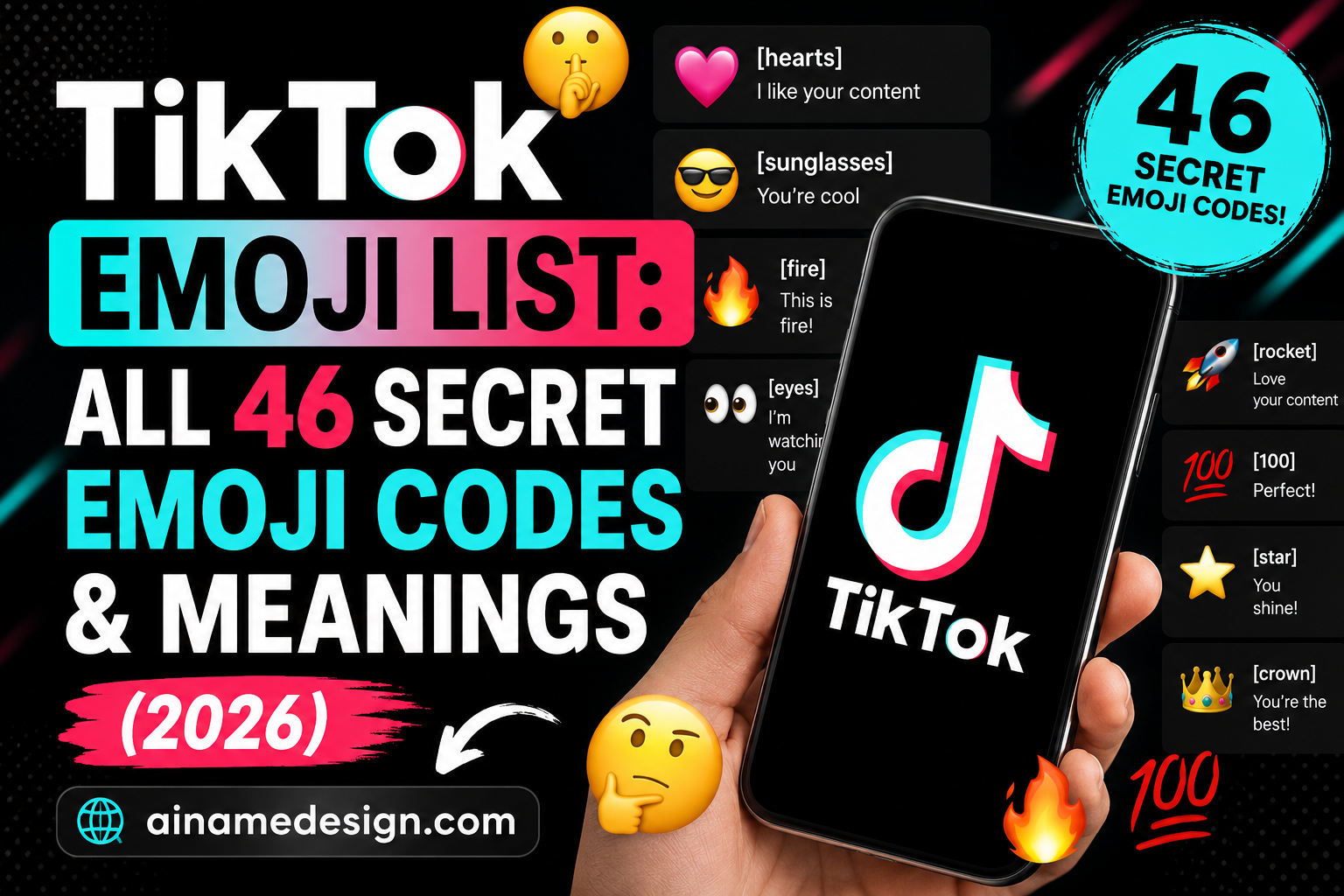
This TikTok emoji list covers all 46 hidden emoji codes built into the TikTok app — shortcodes like [smile], [wronged] and [loveface] that you type or paste in square brackets, and that TikTok converts into its own artwork. Every code below is copyable, with what it means and when it fits.
Most of the emoji you send on TikTok are the same ones you send everywhere else — they come from your phone's keyboard and they belong to Unicode, the standard that lets a heart typed on an iPhone arrive as a heart on an Android. TikTok has a second, smaller set that works nothing like that. You cannot find these on any keyboard. You type a word in square brackets, and the app swaps it for a picture.
There are 46 of them. Typing [smile] into a TikTok comment produces a smiling face; [wronged] produces the pleading expression you have almost certainly seen under a sad video; [loveface] produces the heart-eyed one. Nothing marks them out in the interface, which is why they are usually called hidden or secret emojis. This page lists every one, explains what each is used for, and sets out where the codes actually work.
What TikTok's Secret Emojis Actually Are
These are custom graphics that belong to TikTok. They are not Unicode characters, they have no code point, and no standards body has ever approved them. TikTok simply watches the text you submit for a handful of bracketed keywords and replaces each match with one of its own images before the text is displayed.
That has a useful consequence. Because the artwork ships with the app rather than with your operating system, a hidden emoji looks identical to everyone who sees it. A regular emoji does not — 😂 is drawn one way by Apple, another by Google, another by Samsung, so the face you picked is not exactly the face your audience gets. With a bracketed code there is only ever one design, and Emojipedia's reference for TikTok documents the same behaviour.
That uniformity is the practical argument for using them at all. A comment thread is a place where a reaction has to land instantly, and a regular emoji arriving in an unfamiliar house style is a small tax on that. Because TikTok draws its own set, the face you send is the face that appears, and the informal meanings the community has attached to each one stay stable rather than drifting with whatever your reader's phone happens to render.
The trade-off is that the codes only mean anything inside TikTok. Copy a comment containing [cool] and paste it into a message, an email, or another app, and the recipient sees the literal text [cool] — six characters and two brackets. Nothing converts, because nothing outside TikTok is looking for the pattern.
The Full TikTok Emoji List: All 46 Codes
Every code appears exactly once below, grouped by the kind of reaction it carries. Tap any code to copy it with its brackets already attached, and the row of artwork under each group shows what those codes produce, in the same order. The emoji graphics are TikTok's own designs, reproduced here so you can see which image belongs to which code.
Happy and Positive Codes
This is the largest group and the one that does the most work, because most comments on TikTok are approving ones. The distinctions inside it are worth knowing: [smile] is polite where [happy] is delighted, [cool] approves without wanting to seem impressed, and [proud] carries a warmth the others do not — it implies you had some stake in what you are reacting to.
Select any name in the following list to copy it.
![Smile — the TikTok emoji produced by the [smile] code](/blog-uploads/857eb23a729e5ac90a8dd986.webp)
![Happy — the TikTok emoji produced by the [happy] code](/blog-uploads/4cc7cc9c23e051902ce4d4ec.webp)
![Joyful — the TikTok emoji produced by the [joyful] code](/blog-uploads/017944ca844765fdb29e91e3.webp)
![Lovely — the TikTok emoji produced by the [lovely] code](/blog-uploads/0f2d649cc89fe1ee46ba2c3d.webp)
![Wow — the TikTok emoji produced by the [wow] code](/blog-uploads/f851c67720f222d0f96dfe24.webp)
![Hehe — the TikTok emoji produced by the [hehe] code](/blog-uploads/e4a2745ca770d24f0cd130fb.webp)
![Cool — the TikTok emoji produced by the [cool] code](/blog-uploads/c1b68ff320d85eef5bc45c89.webp)
![Excited — the TikTok emoji produced by the [excited] code](/blog-uploads/4f09f470c7a57a540e40b807.webp)
![Proud — the TikTok emoji produced by the [proud] code](/blog-uploads/97ffa077190492294a02542a.webp)
Sad and Low-Energy Codes
Sadness on TikTok is usually performed rather than felt, and these five cover the register from mild to theatrical. [tears] is the restrained one, [cry] the everyday default, and [weep] the one reserved for videos that genuinely land. [speechless] and [nap] sit slightly apart: both signal that you have run out of response, one from disbelief and one from fatigue.
Select any name in the following list to copy it.
![Cry — the TikTok emoji produced by the [cry] code](/blog-uploads/2793b546426767fb19160b2f.webp)
![Weep — the TikTok emoji produced by the [weep] code](/blog-uploads/553064d6d0ea97253570f5f5.webp)
![Tears — the TikTok emoji produced by the [tears] code](/blog-uploads/2d04bc7877871644869cd505.webp)
![Speechless — the TikTok emoji produced by the [speechless] code](/blog-uploads/e3e5978c7ac4f6a1493e8d01.webp)
![Nap — the TikTok emoji produced by the [nap] code](/blog-uploads/1d777ef07e322ddf65d10416.webp)
Shocked and Surprised Codes
These five escalate cleanly. Surprise is the mildest, shock adds alarm, and stun describes being unable to react at all. [astonish] is for things that seem impossible rather than merely unexpected, and [scream] is the loud one — used about as often for excitement as for horror.
Select any name in the following list to copy it.
![Surprised — the TikTok emoji produced by the [surprised] code](/blog-uploads/4b7877eda45367af744e40bf.webp)
![Shock — the TikTok emoji produced by the [shock] code](/blog-uploads/4b71c06bee6d42887f970f41.webp)
![Stun — the TikTok emoji produced by the [stun] code](/blog-uploads/5a9f88a7041324ddf9174a66.webp)
![Astonish — the TikTok emoji produced by the [astonish] code](/blog-uploads/5f903f501d2d7a7b3fcb32c9.webp)
![Scream — the TikTok emoji produced by the [scream] code](/blog-uploads/4dd82787527d069bf48865e8.webp)
Cute, Shy and Embarrassed Codes
[wronged] belongs to this group and is the code most people arrive looking for. It is the pleading, slightly wounded expression that became shorthand for asking nicely, apologising, or pretending to be hurt — the same idea people spell out with 🥺👉👈. The rest of the group covers blushing, being caught out, and open affection.
Select any name in the following list to copy it.
![Wronged — the TikTok emoji produced by the [wronged] code](/blog-uploads/444b903e29f7eb2cd31fc9bd.webp)
![Embarrassed — the TikTok emoji produced by the [embarrassed] code](/blog-uploads/d0c29b764ed00f198fc7f09b.webp)
![Flushed — the TikTok emoji produced by the [flushed] code](/blog-uploads/0c4172c90ce1761da2271209.webp)
![Cute — the TikTok emoji produced by the [cute] code](/blog-uploads/1bf94270288ab50a6f8c59f4.webp)
![Blink — the TikTok emoji produced by the [blink] code](/blog-uploads/82ce323a02072f9d85fc85b5.webp)
![Love Face — the TikTok emoji produced by the [loveface] code](/blog-uploads/78cfb90dc0166ab4c0c70716.webp)
Funny and Playful Codes
The split here is between laughing at something and being the funny one. [laugh] and [laughwithtears] are reactions; [funnyface] and [wicked] are performances. [slap] is worth calling out because it reads as mock retaliation between people who already get on — used with a stranger it lands very differently.
Select any name in the following list to copy it.
![Funny Face — the TikTok emoji produced by the [funnyface] code](/blog-uploads/560183f6416d0404ee5e5fe8.webp)
![Laugh — the TikTok emoji produced by the [laugh] code](/blog-uploads/968da71a4d3fe3434b9e9b3b.webp)
![Laugh With Tears — the TikTok emoji produced by the [laughwithtears] code](/blog-uploads/4d2525b1b73b6b6d84e7f468.webp)
![Slap — the TikTok emoji produced by the [slap] code](/blog-uploads/1ae6668a94646a959332f1b0.webp)
![Smile Face — the TikTok emoji produced by the [smileface] code](/blog-uploads/1a58a8b558ec41884ffd0f54.webp)
![Wicked — the TikTok emoji produced by the [wicked] code](/blog-uploads/7ae694c79e0b29b448d66dc2.webp)
Angry and Negative Codes
Almost all use of this group is exaggerated. [rage] in particular is closer to a joke about being furious than to actual fury, and [evil] is nearly always playful. [disdain] is the sharpest of the five in practice, because it is dismissive rather than loud.
Select any name in the following list to copy it.
![Angry — the TikTok emoji produced by the [angry] code](/blog-uploads/c3090bd529140fd595fd6e99.webp)
![Rage — the TikTok emoji produced by the [rage] code](/blog-uploads/2dcad274c99ed34ca76f92c8.webp)
![Sulk — the TikTok emoji produced by the [sulk] code](/blog-uploads/8199e0363f49a1372d74a4ac.webp)
![Disdain — the TikTok emoji produced by the [disdain] code](/blog-uploads/a2f5f4f9eee3afb43875248d.webp)
![Evil — the TikTok emoji produced by the [evil] code](/blog-uploads/6cb2e76b50345ced858bfa8e.webp)
Everything Else
The remaining ten do not group neatly, which is part of why they are underused. [yummy] and [drool] belong under food videos. [thinking] and [facewithrollingeyes] are the sceptical pair. [angel] and [complacent] are both about claiming innocence or credit you have not quite earned, and [awkward] covers the social wince that has no good Unicode equivalent.
Select any name in the following list to copy it.
![Shout — the TikTok emoji produced by the [shout] code](/blog-uploads/15cc8fc1736a7172d5ffbb96.webp)
![Yummy — the TikTok emoji produced by the [yummy] code](/blog-uploads/5e37830fb5dd13202dfe4a0b.webp)
![Complacent — the TikTok emoji produced by the [complacent] code](/blog-uploads/beed337d933e4923e6e098b2.webp)
![Drool — the TikTok emoji produced by the [drool] code](/blog-uploads/7097067f602fa90cbd1bd691.webp)
![Face With Rolling Eyes — the TikTok emoji produced by the [facewithrollingeyes] code](/blog-uploads/52d388d39261df682efd2398.webp)
![Thinking — the TikTok emoji produced by the [thinking] code](/blog-uploads/b609172bef2f116d5688727d.webp)
![Greedy — the TikTok emoji produced by the [greedy] code](/blog-uploads/ad92c0c20f3292a2a8bb62ba.webp)
![Angel — the TikTok emoji produced by the [angel] code](/blog-uploads/64309fcb39a43199f2c97d1b.webp)
![Pride — the TikTok emoji produced by the [pride] code](/blog-uploads/f5528d08abd727096711854e.webp)
![Awkward — the TikTok emoji produced by the [awkward] code](/blog-uploads/f2805a8b94cfd1d2f72fea75.webp)
Quick Reference: Every Code and What It Means
The same 46 codes in one table, for scanning rather than browsing.
| TikTok emoji | Code | What it conveys |
|---|---|---|
| Smile | [smile] | A plain, friendly greeting — the one to use when you just want to be pleasant. |
| Happy | [happy] | Unrestrained delight, a step past a polite smile. |
| Joyful | [joyful] | Bubbling good mood, the kind that comes with good news. |
| Lovely | [lovely] | Fond approval — you like this and you want the creator to know. |
| Wow | [wow] | Genuine admiration for something impressive rather than shocking. |
| Hehe | [hehe] | A small private laugh, closer to a smirk than a guffaw. |
| Cool | [cool] | Understated approval, the reaction that does not want to look excited. |
| Excited | [excited] | Anticipation you cannot sit still through. |
| Proud | [proud] | Satisfaction at something you or someone close to you pulled off. |
| Cry | [cry] | Ordinary sadness, used as often for a sad story as for real tears. |
| Weep | [weep] | Heavier than a cry — sustained, inconsolable sobbing. |
| Tears | [tears] | Welling up rather than full crying; the moment before you lose it. |
| Speechless | [speechless] | No reply available. Works for disbelief and for exhaustion alike. |
| Nap | [nap] | Tiredness, boredom, or a polite way of saying this went on too long. |
| Surprised | [surprised] | Caught off guard by something you did not see coming. |
| Shock | [shock] | A stronger jolt than surprise — closer to alarm. |
| Stun | [stun] | Frozen in place, unable to process what just happened. |
| Astonish | [astonish] | Disbelief at something that should not be possible. |
| Scream | [scream] | Panic played for effect, whether the cause is horror or excitement. |
| Wronged | [wronged] | The pleading, hard-done-by look. The most-used code on TikTok by a distance. |
| Embarrassed | [embarrassed] | Caught out and wishing you were not. Good for secondhand cringe too. |
| Flushed | [flushed] | Blushing — flattered, flustered, or both at once. |
| Cute | [cute] | Deliberate sweetness, often laid on thicker than the moment deserves. |
| Blink | [blink] | Innocent, wide-eyed, and usually not innocent at all. |
| Love Face | [loveface] | Smitten. The code people reach for when a video is genuinely adorable. |
| Funny Face | [funnyface] | Silliness for its own sake — pulling a face rather than laughing. |
| Laugh | [laugh] | Straightforward laughter at something that landed. |
| Laugh With Tears | [laughwithtears] | Laughing hard enough that it hurts. |
| Slap | [slap] | Mock outrage. Playful retaliation, never actual aggression. |
| Smile Face | [smileface] | A grin with an edge — friendly on the surface, teasing underneath. |
| Wicked | [wicked] | Mischief. You know exactly what you did. |
| Angry | [angry] | Straightforward irritation, in proportion to whatever caused it. |
| Rage | [rage] | Anger past the point of restraint, usually exaggerated for effect. |
| Sulk | [sulk] | Quiet displeasure — annoyed, and making sure it shows. |
| Disdain | [disdain] | Unimpressed and slightly above it all. |
| Evil | [evil] | Villainous glee, almost always joking. |
| Shout | [shout] | Volume. Calling out to someone, or reacting loudly to a reveal. |
| Yummy | [yummy] | Something looks delicious — the food-video reaction. |
| Complacent | [complacent] | Pleased with yourself, and not hiding it. |
| Drool | [drool] | Wanting something badly, food or otherwise. |
| Face With Rolling Eyes | [facewithrollingeyes] | Exasperation at something predictable. |
| Thinking | [thinking] | Weighing something up, or signalling polite scepticism. |
| Greedy | [greedy] | Wanting more, said about yourself with no shame attached. |
| Angel | [angel] | Innocence claimed rather than earned. |
| Pride | [pride] | Chest-out confidence, a shade boastful compared with Proud. |
| Awkward | [awkward] | The social wince — you are not sure what to say and it shows. |
How to Use a TikTok Emoji Code
There is no menu for this and no setting to enable. You type the code, or you paste it, and the app does the rest when the text is submitted.
- Pick a code from the list below and tap it to copy — the brackets are part of the code and must come with it.
- Open TikTok and go to the comment box on any video.
- Paste the code, or type it out by hand if you can remember it.
- Post the comment. The code converts at that moment, not while you are typing.
- Check the posted comment. If you still see the brackets, the spelling did not match.
Comments are the surface these codes are best known for, and the one where you can confirm the behaviour for yourself in a few seconds. TikTok does not publish an official list of every field that supports them, so rather than promise that a code works in a caption, a bio or a direct message, the honest advice is to try it in the specific field you care about and look at the result. What is certain is the boundary: inside the app the substitution can happen, and outside it never does.
Two things break a code more often than anything else. The first is a missing or mismatched bracket — [smile is just text. The second is spelling: the codes are single words with no spaces and no capital letters, so [Love Face] does nothing while [loveface] works. Copying rather than typing removes both problems.
Where the Codes Work, and Where They Do Not
TikTok has never published a specification for this feature, so the sensible way to think about it is a boundary rather than a list. On one side is the app, where text you submit passes through TikTok's own processing and a bracketed keyword can be swapped for artwork. On the other side is everywhere else, where no such processing exists and the brackets are simply characters.
Comments are the field where the behaviour is easiest to confirm and where the codes are overwhelmingly used in practice. If you want to know whether some other field in the app converts them, the test takes ten seconds: put a code in, save, and look at the result. That is more reliable than any general claim, because behaviour in a specific field can change with an app update without anything being announced.
What will not change is the outside boundary. Screenshots are the usual workaround — a comment containing hidden emojis screenshots exactly as it appeared, which is why these codes circulate as images far more than as text. If you need something that survives being pasted rather than photographed, you need a Unicode character instead, and the text tools hub lists what is available.
Common Mistakes and Quick Fixes
Nearly every report of a code not working comes down to one of four things. The most common is a typo in a longer code — [laughwithtears] and [facewithrollingeyes] are single words with no separators, and adding a space or a hyphen breaks the match completely. The second is capitalisation: the codes are lowercase throughout, so [Cool] stays as text where [cool] does not.
The third is a missing bracket, usually the closing one, which is easy to lose when you are editing a comment around it. The fourth is inventing a code. There are 46 and no more, so a plausible-sounding guess like [sad] or [heart] will never convert — the app is matching against a fixed set, not interpreting the word. Copying from the list above rather than typing from memory removes all four failure modes at once.
One habit is worth adopting regardless: post the comment and read it back. The conversion only happens on submission, so the draft in your comment box always shows brackets. Judging whether a code worked from what you see before posting is the single most common source of confusion around this feature.
Which Code Fits Which Reaction
Choosing between near-neighbours is most of the difficulty, so here is the practical mapping. When something is genuinely funny, [laughwithtears] reads as a bigger reaction than [laugh], and [hehe] is the one to use when you find something amusing but do not want to make a scene about it.
When you are shocked, [surprised] is the safe default and [stun] is the one that says you have nothing to add. When you are embarrassed, [embarrassed] covers your own mistake and [awkward] covers watching someone else make one. When you love something, [loveface] is affection and [lovely] is approval — the second is easier to send to a stranger.
When you are speechless, [speechless] says it outright. When something is cute, [cute] is the obvious choice and [blink] is the sweeter, more theatrical one. When you are annoyed, [sulk] is proportionate and [rage] is a joke about being annoyed. When you want to look innocent, [angel] and [blink] both work and neither is remotely convincing, which is the point. And when you are tired of a video, [nap] ends the conversation more politely than saying so.
Hidden TikTok Emojis vs Regular Emoji
These two sets look similar in a comment thread and behave nothing alike underneath.
| TikTok hidden emoji | Regular Unicode emoji | |
|---|---|---|
| How you enter it | Type a bracketed code | Pick it from the emoji keyboard |
| Who draws it | TikTok, one design for everyone | Apple, Google, Samsung and others, each differently |
| Is it a Unicode character | No | Yes |
| Where it works | Inside the TikTok app | Anywhere text is supported |
| What copying it gives you | The literal text of the code | The character itself |
The last row is the one that catches people out. Copying a hidden emoji does not copy a picture, because there is no picture in the text — only the code that TikTok knows how to swap. If you want a symbol that survives being pasted into any app at all, you want a real Unicode character, and our emoji library and Unicode symbol collection are built for exactly that.
Do Not Confuse Codes With Emoji Slang
TikTok has two separate emoji conversations and they get mixed up constantly. The first is this one: 46 bracketed codes that produce TikTok's own artwork. The second is the meaning ordinary emoji have picked up on the platform — 💀 standing in for laughter, 🪑 used as deliberate nonsense, ✨ wrapping a phrase for sarcasm. Those are Unicode characters with informal, shifting meanings, and none of them belongs to the 46.
It matters because the two behave differently. Emoji slang travels: send 💀 anywhere and the character arrives intact, even if the joke does not. A bracketed code does not travel at all. If you are looking for characters that work across every app rather than only inside TikTok, the full iPhone emoji list and our roundup of the newest emoji additions cover that ground, and the Samsung One UI emoji set shows how far vendor designs can drift apart.
Using Codes Alongside Your TikTok Profile
Bracketed codes are a comment-thread tool, so they sit alongside rather than inside the rest of your profile. Styling a display name or a bio is a different job that needs real Unicode characters, since those fields have to store what you type rather than translate it. Our TikTok bio fonts guide covers that, the TikTok name generator handles display names, and TikTok username ideas is a starting point if you are still choosing a handle.
If you want a name in a different lettering style rather than a picture, the font generator converts ordinary text into Unicode alphabets that paste anywhere, and the social media hub sets out which field on each platform will accept them.
Read also: → iPhone Emoji List: Every Apple Emoji to Copy and Paste
Frequently Asked Questions
What are TikTok secret emojis?
They are 46 custom graphics built into the TikTok app that you insert by typing a keyword inside square brackets, such as [smile] or [wronged]. They do not appear on any emoji keyboard, which is why they are described as hidden — the only way to use one is to know its code.
How many hidden TikTok emojis are there?
46. That number has been stable for a long time and matches the set documented by Emojipedia. Anything advertised as hundreds of secret TikTok emojis is counting ordinary Unicode emoji alongside them.
How do I use TikTok emoji codes?
Copy a code with its brackets, open a TikTok comment box, paste it in and post. The substitution happens when the comment is submitted, not while you type, so the brackets stay visible until you post.
What is the TikTok emoji code for love?
[loveface] gives the heart-eyed expression and is the closest equivalent to 😍. [lovely] is the gentler option — fond rather than smitten — and reads better in a comment to someone you do not know.
What is the TikTok emoji code for crying?
There are three, and they differ in intensity. [tears] is welling up, [cry] is ordinary crying, and [weep] is the heaviest of the three.
What does [wronged] mean on TikTok?
It produces a pleading, hard-done-by expression and is the most recognisable code in the set. People use it to ask for something nicely, to apologise, or to play at being hurt — the same role the 🥺👉👈 combination fills elsewhere.
Do TikTok secret emojis work on iPhone and Android?
Yes. The codes are handled by the TikTok app itself rather than by your phone, so they behave the same on both, and the resulting image is identical on every device because TikTok supplies the artwork.
Are TikTok secret emojis the same as Unicode emojis?
No. Unicode emoji are standardised characters that any app can display, drawn differently by Apple, Google and Samsung. TikTok's hidden emojis are images owned by TikTok with no Unicode character behind them, which is why they only render inside the app.
Can I copy and paste TikTok emoji codes?
Yes, and copying is more reliable than typing because the spelling has to match exactly. What you are copying is the text of the code, not a picture — so pasting it anywhere other than TikTok will show the brackets rather than an emoji.
Why does a TikTok emoji code sometimes not work?
Almost always a spelling or bracket problem. The codes are lowercase single words with no spaces, both brackets are required, and a code that is not on the list of 46 will simply stay as text. It is also worth remembering that conversion happens on posting, so a code that still shows brackets in a posted comment did not match.